
The Morbury museum
A responsive website
The product
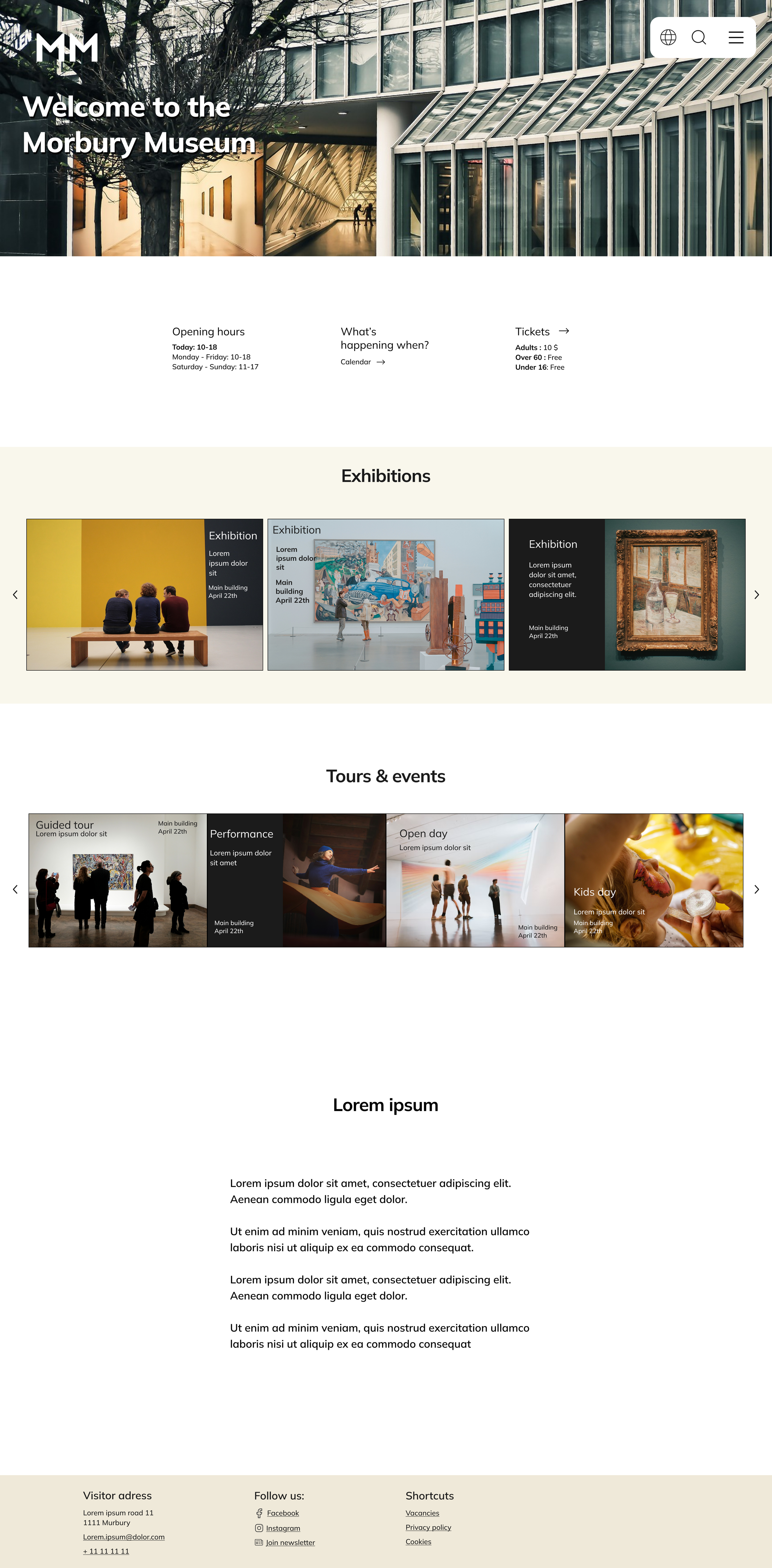
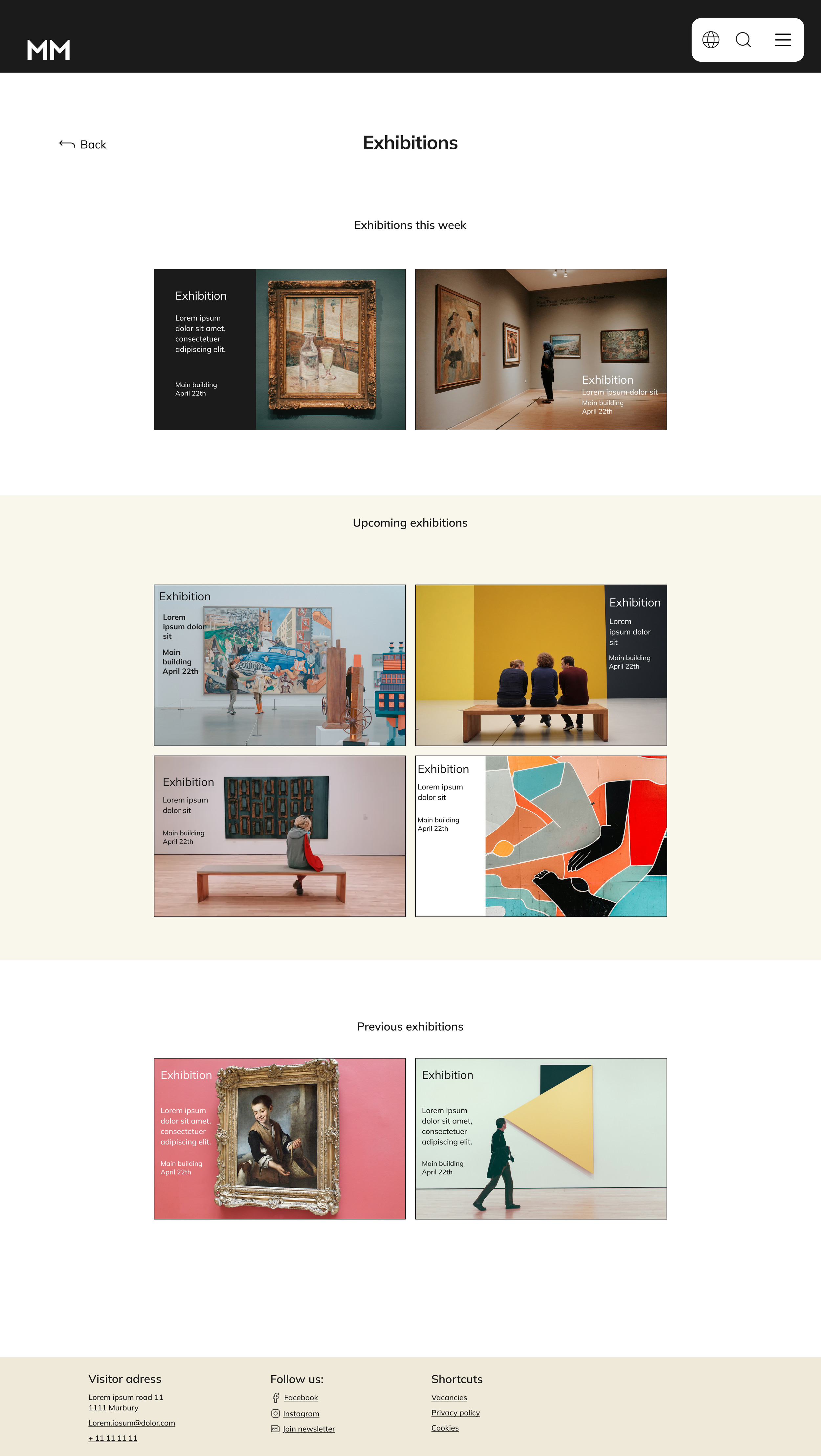
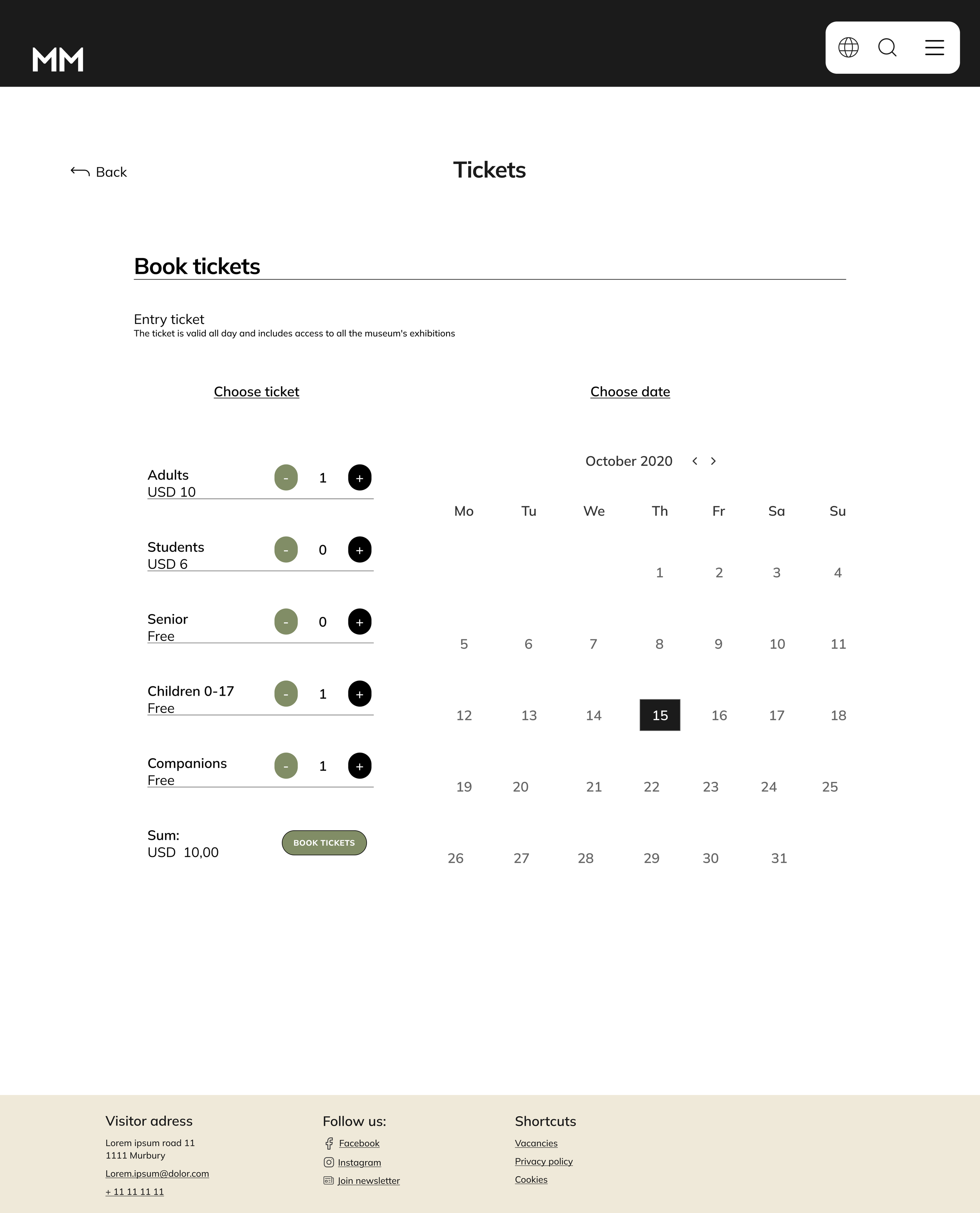
This is a responsive website for a public art museum to advertise exhibitions and events, provide museum information, and enable patrons to schedule visits.
Project duration
3 weeks - March 2025
My role
This is an individual project that allowed me to plan and direct each step of the design thinking process as a UX designer.
Responsibilities
User research, conducting interviews and competitive audits, paper and digital wireframing, low- and high-fidelity prototyping, testing, usability studies, iterations, and design.
The problem
It is hard to find the Morbury Museum’s upcoming exhibitions and events without having to go to the museum in person. You also have to book tickets over the phone or in person.
The goal
Let users have an easy way to find exhibitions and events and book tickets online.
User research
I interviewed family and friends who I know visit museums and galleries, to get to know their needs and frustrations. I gathered information about their experience with similar products and made a persona based on the common pain points. I also did a competitive audit on 4 other websites with a similar purpose and user group.
I discovered that museum websites have a wide range of users in different age groups who have very different needs. I therefore wanted to make a design that was easy to use with clear and simple paths to the goal.
Pain points
“I can’t find a way to book tickets without having to call the museum or go there in person.”
Navigation
“I miss out on exhibitions because it’s hard to find information about when they are happening.”
Experience
“I find it hard to plan my museum visits, because I don’t know if I can get between exhibitions without climbing stairs.”
Accessibility
Ben
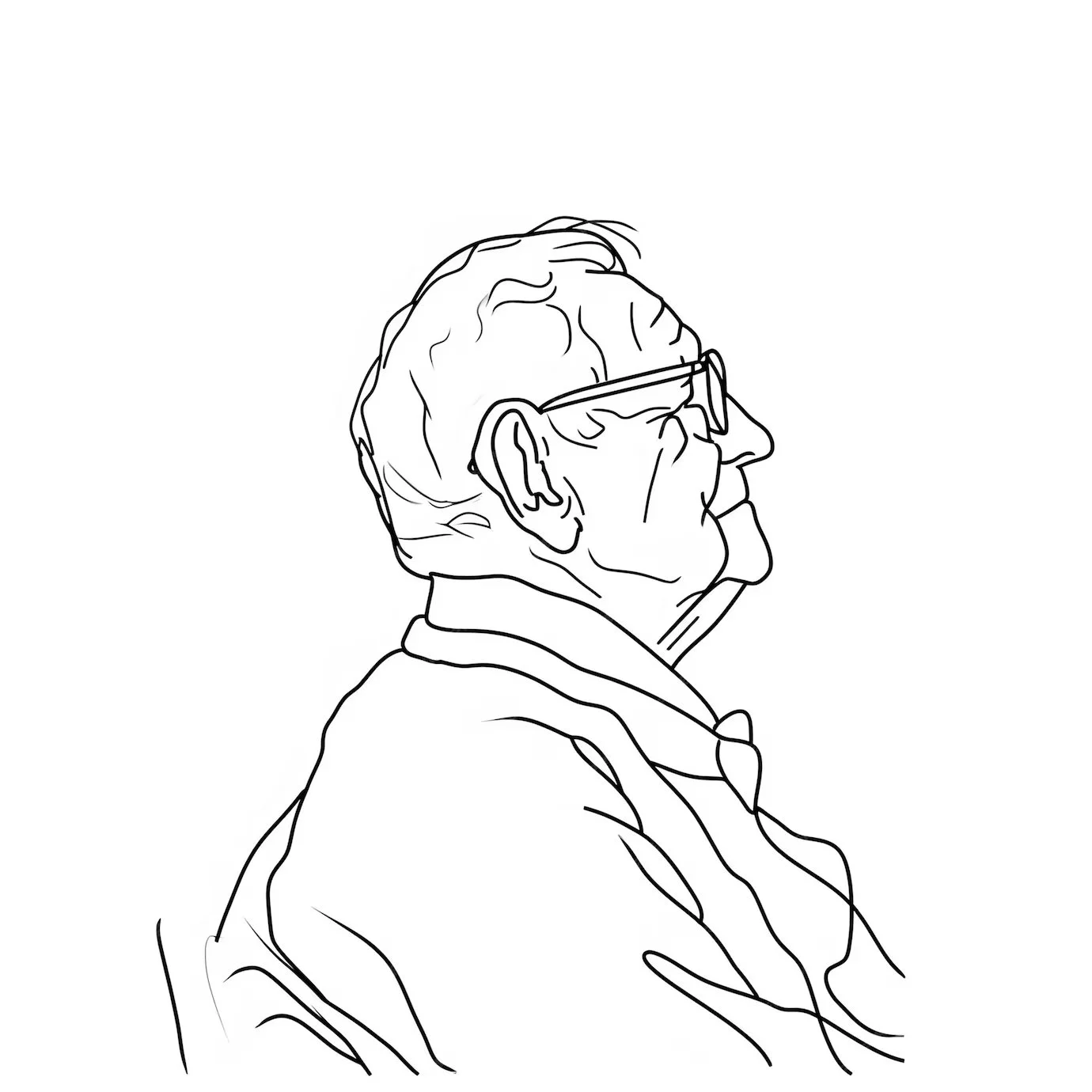
Age: 74
Education: Teacher
Hometown: Oslo
Family: Lives alone
Occupation: Retired
“I don’t like to disturb the front desk by calling every time I want information or to book tickets, but I also really enjoy the nice interactions with the wonderful staff.”
Ben is a 74-year-old retired teacher who lives in Oslo alone. He likes to go to museums and needs an easy way to find exhibitions and book his visits. He doesn’t like technology and appreciates the interaction with real people when booking visits. He also has low vision and finds it difficult to climb stairs.
Even though Ben is a fictional character made by me, his needs are real and based on common pain points defined in the user research. Ben represents the user group and will help me keep the user needs in mind throughout the design process.
Goals
I want to easily find exhibitions and events at my local museum without having to go to the museum or call.
I want to book tickets without waiting in line on the phone.
Frustrations
I’m not able to get an overview of the museum’s exhibitions and events without calling and asking the front desk or going to the museum in person.
I often wait in line on the phone because of high demand, and sometimes I don’t get through at all.
I’m not sure if I will be able to go between exhibitions without climbing too many stairs.
Problem statement:
Ben is a retired 74-year-old who often visits the local museum and needs a way to get an overview of exhibitions and book visits online because he finds it difficult to find exhibitions without having to go to the museum, and often waits in line while booking tickets over the phone.
User journey map
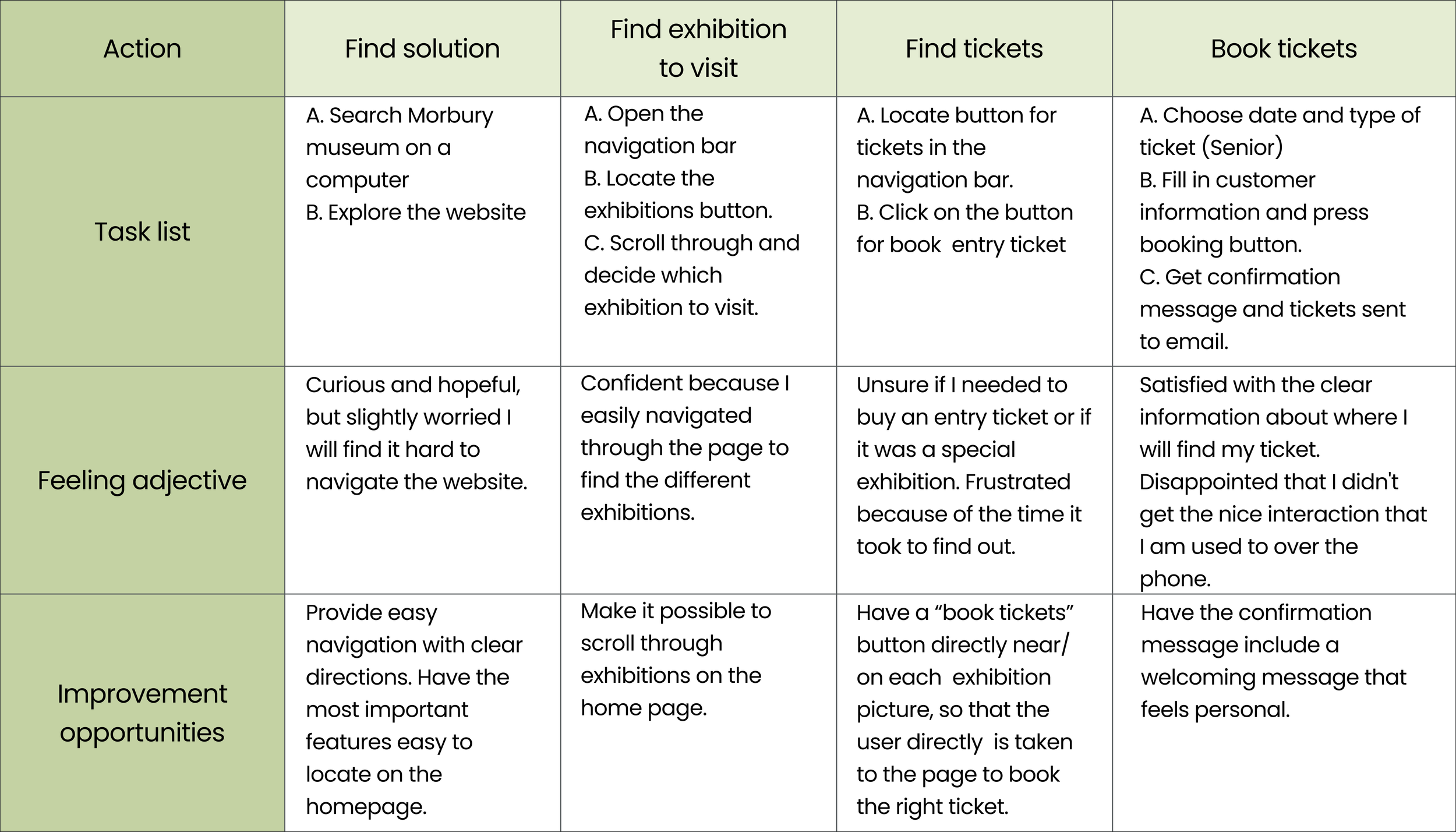
I used the persona, Ben, to create a fictional user journey map that describes his journey from having a problem to reaching his goal of finding and booking a visit to the Morbury Museum.
I tried to imagine Ben’s needs and potential problems that might occur through the process of finding and booking a ticket using my low-fidelity prototype, based on his character.
Competitive audit
I explored different museum websites with similar offerings that focus on the same audience. I researched the different strengths and weaknesses in the products and analyzed my findings in a competitive audit. This helped me solve usability problems and gave me many tools to ideate further on my design.
Starting the design
Sitemap
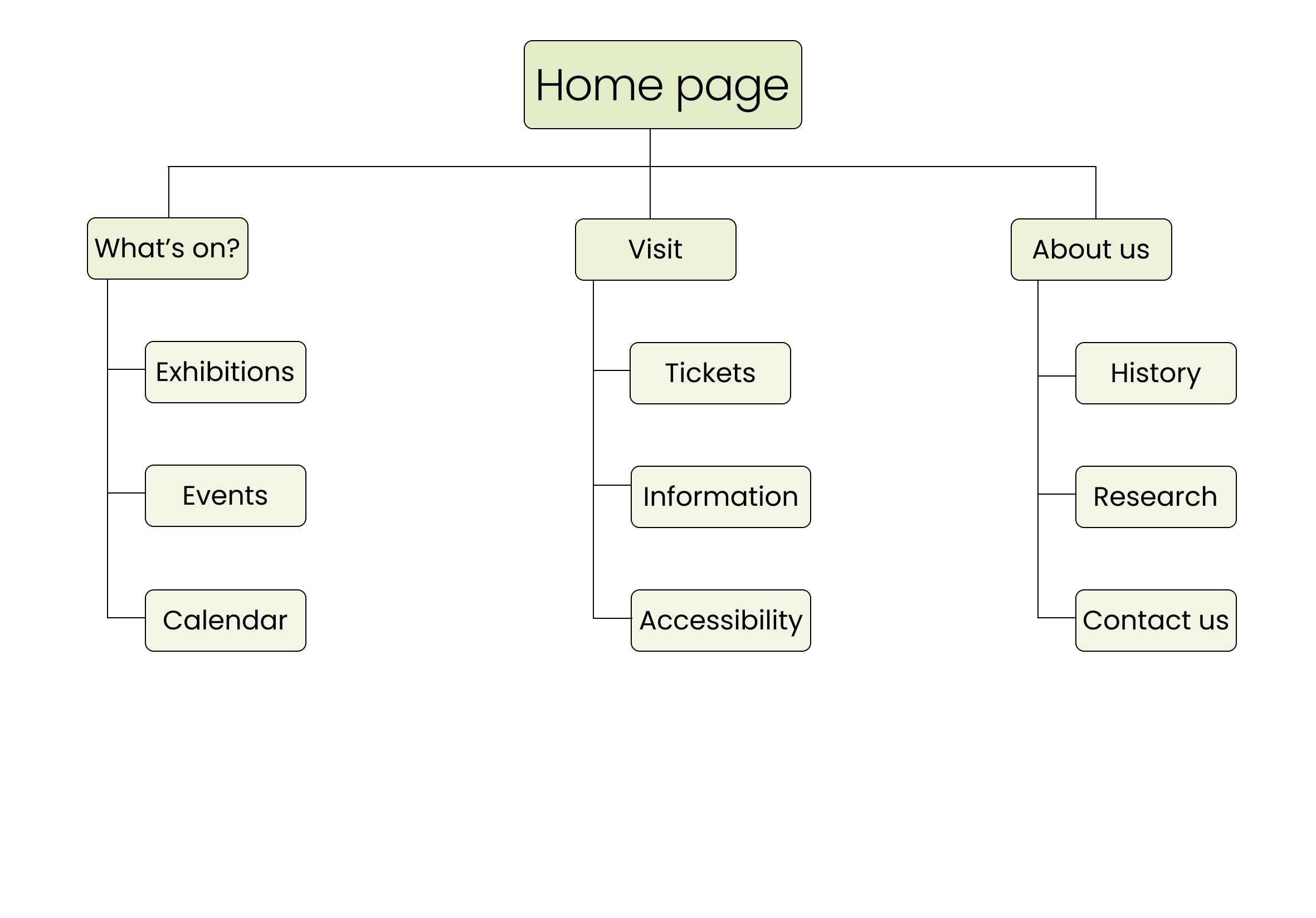
The user group of a museum website has a wide range of user needs and technological abilities. I wanted to make the website easy to use without any unnecessary add-ons to the navigation. It’s important to make it clear, and almost impossible not to find what you are looking for.
Paper wireframes
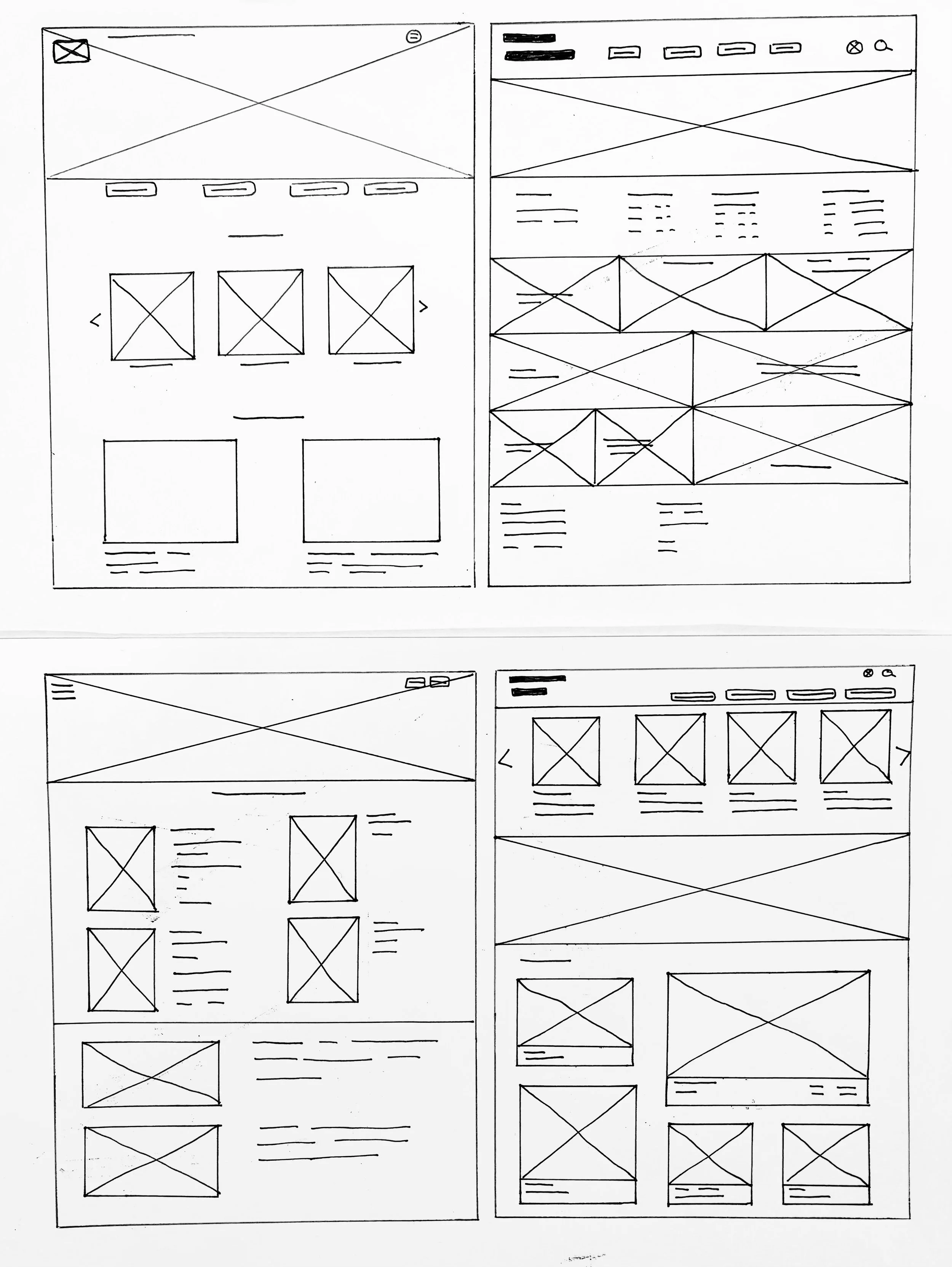
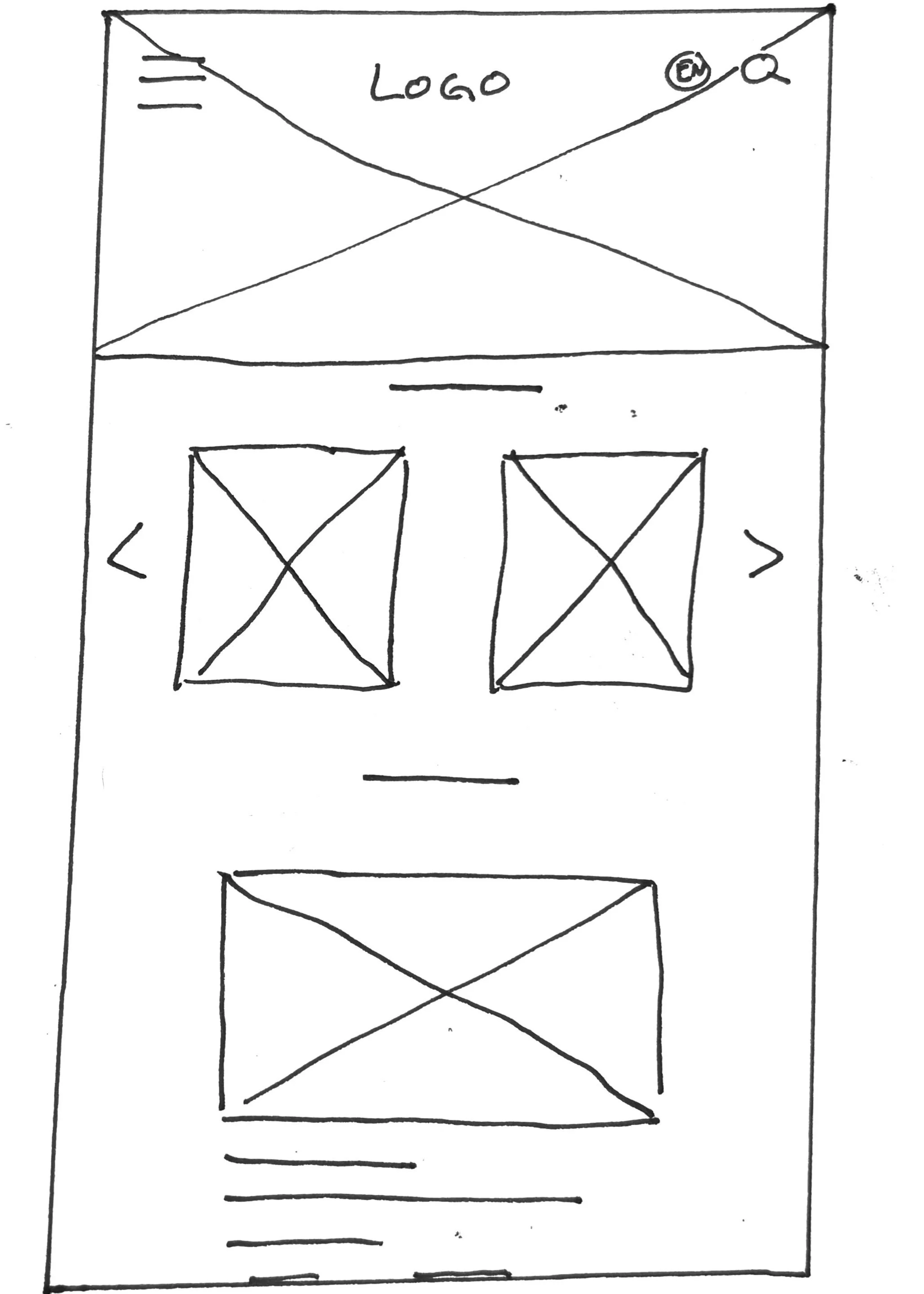
I sketched out paper wireframes for my homepage, both for the desktop screen and the mobile screen. I used what I liked the most from each wireframe to create a refined digital wireframe.
Digital wireframes
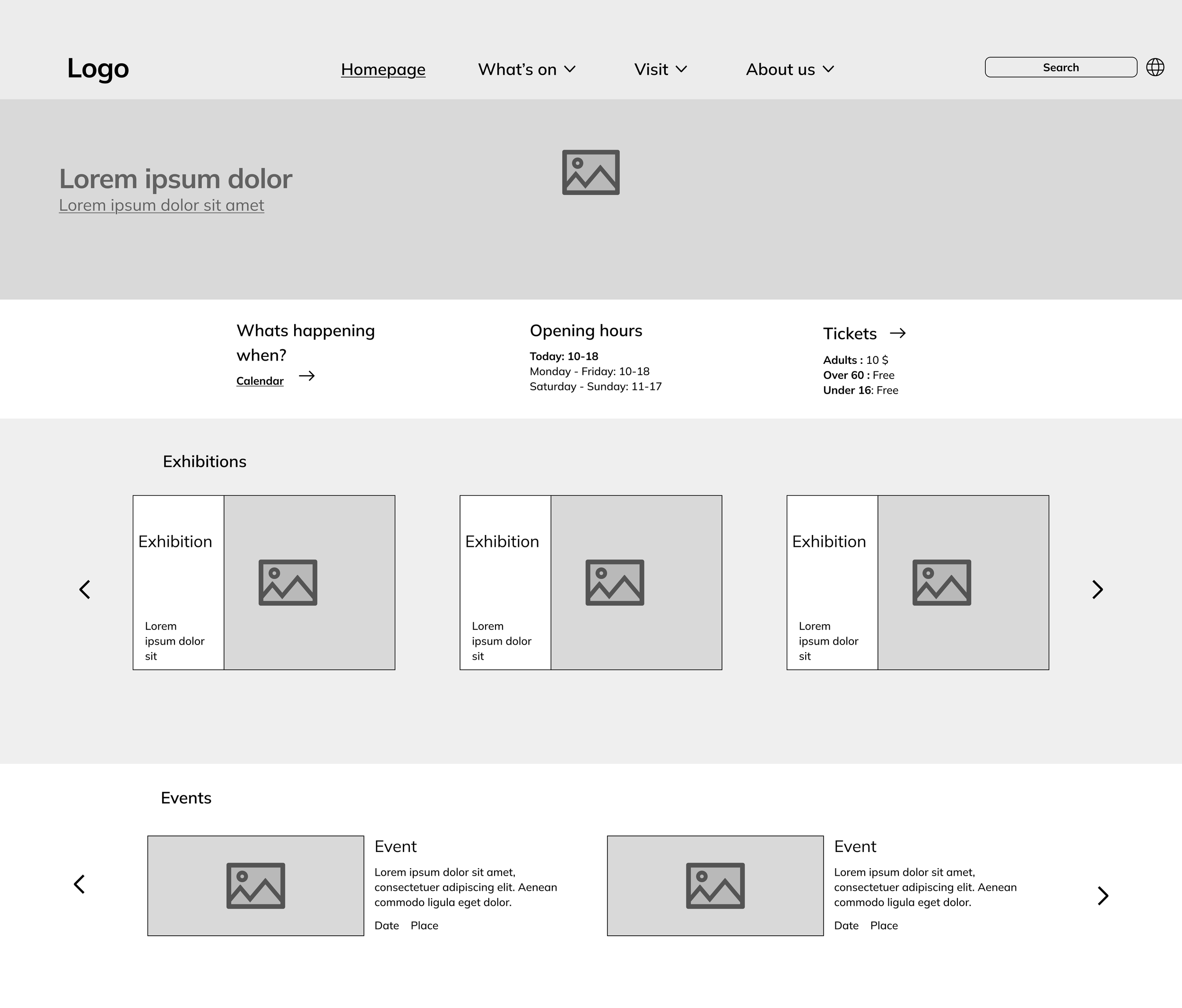
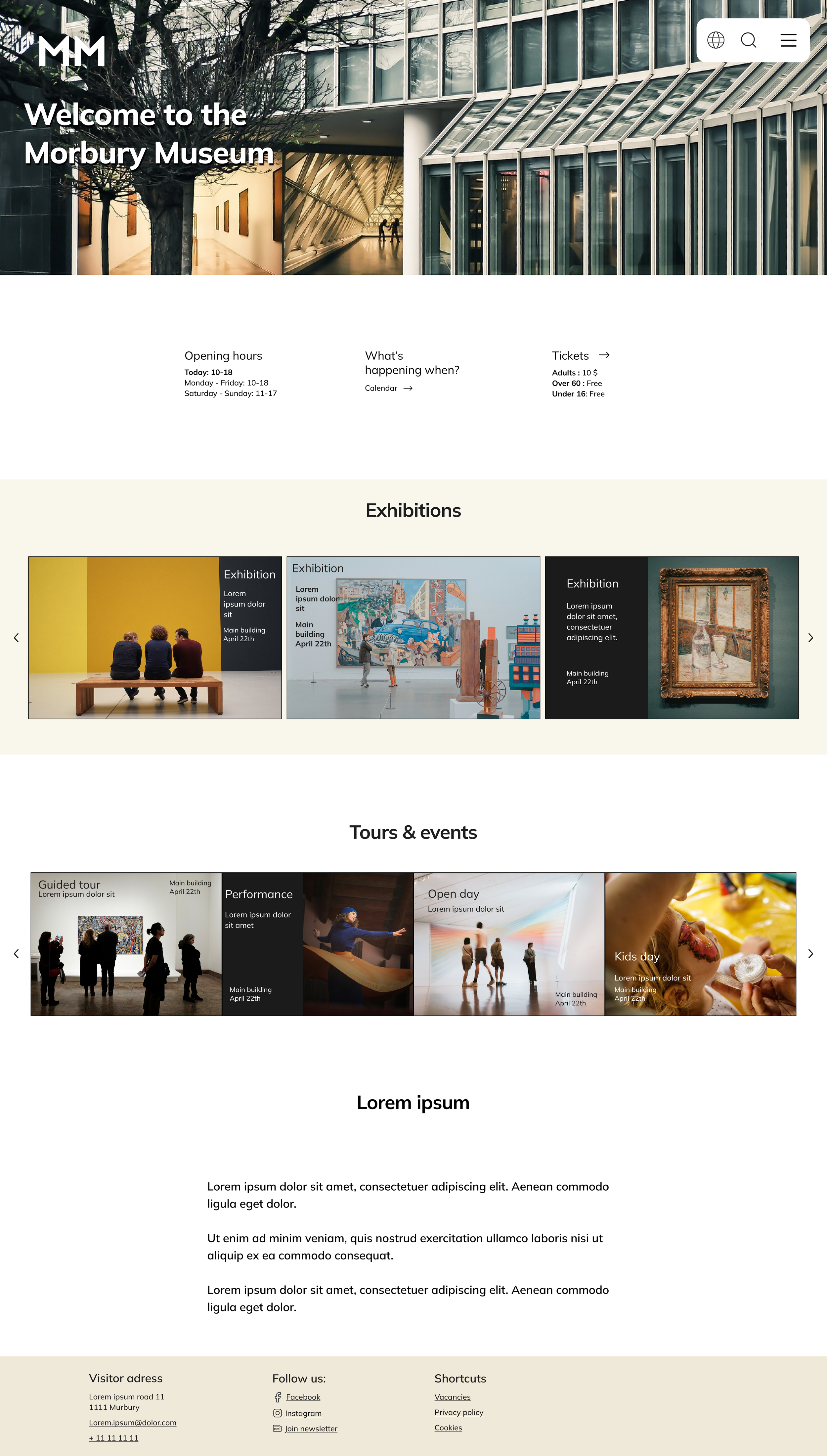
Easily find important navigation, such as “calendar overview” and “tickets”, on the homepage.


Scroll through exhibitions and events.
Screen size variation

Low-fidelity prototype
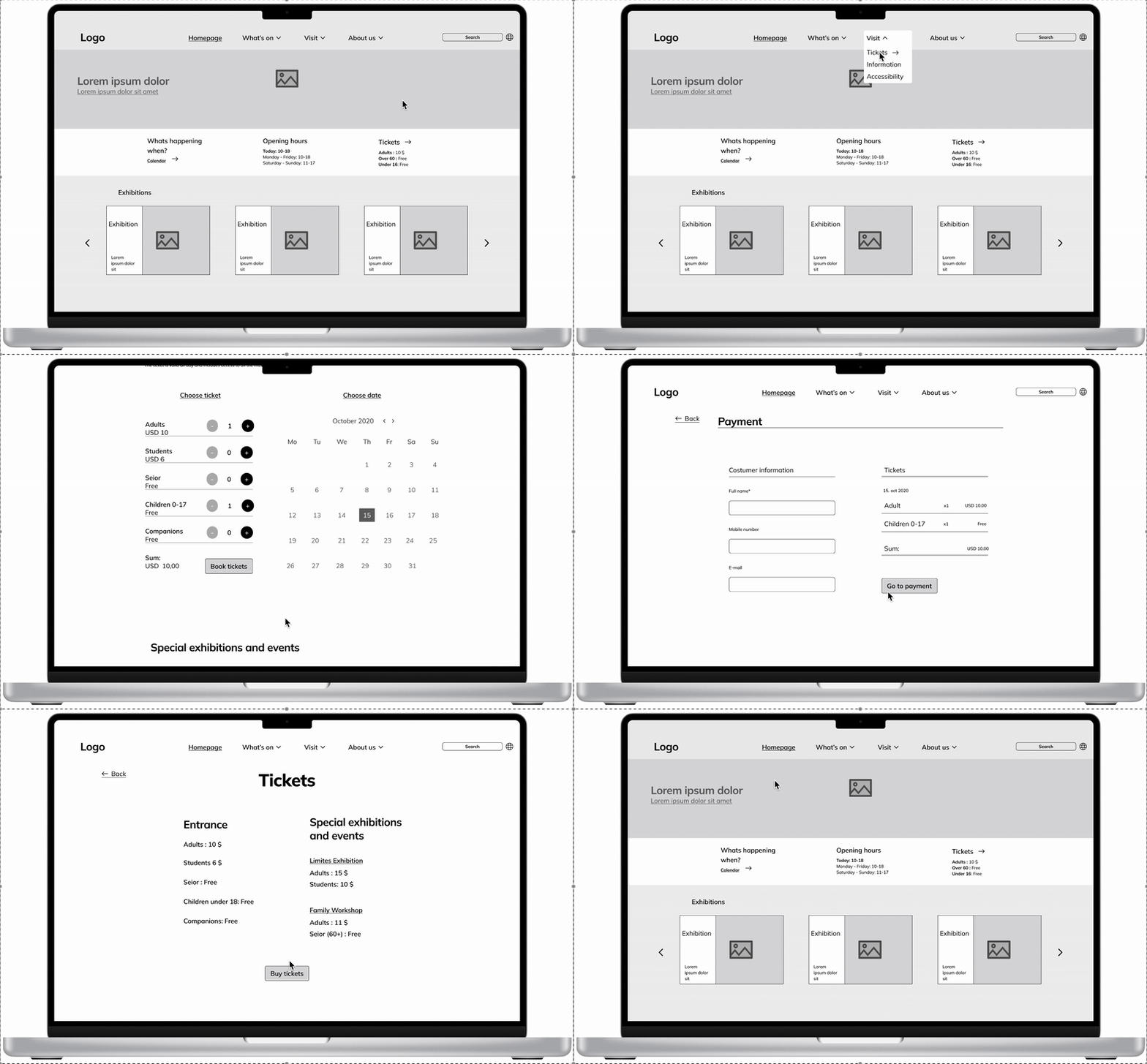
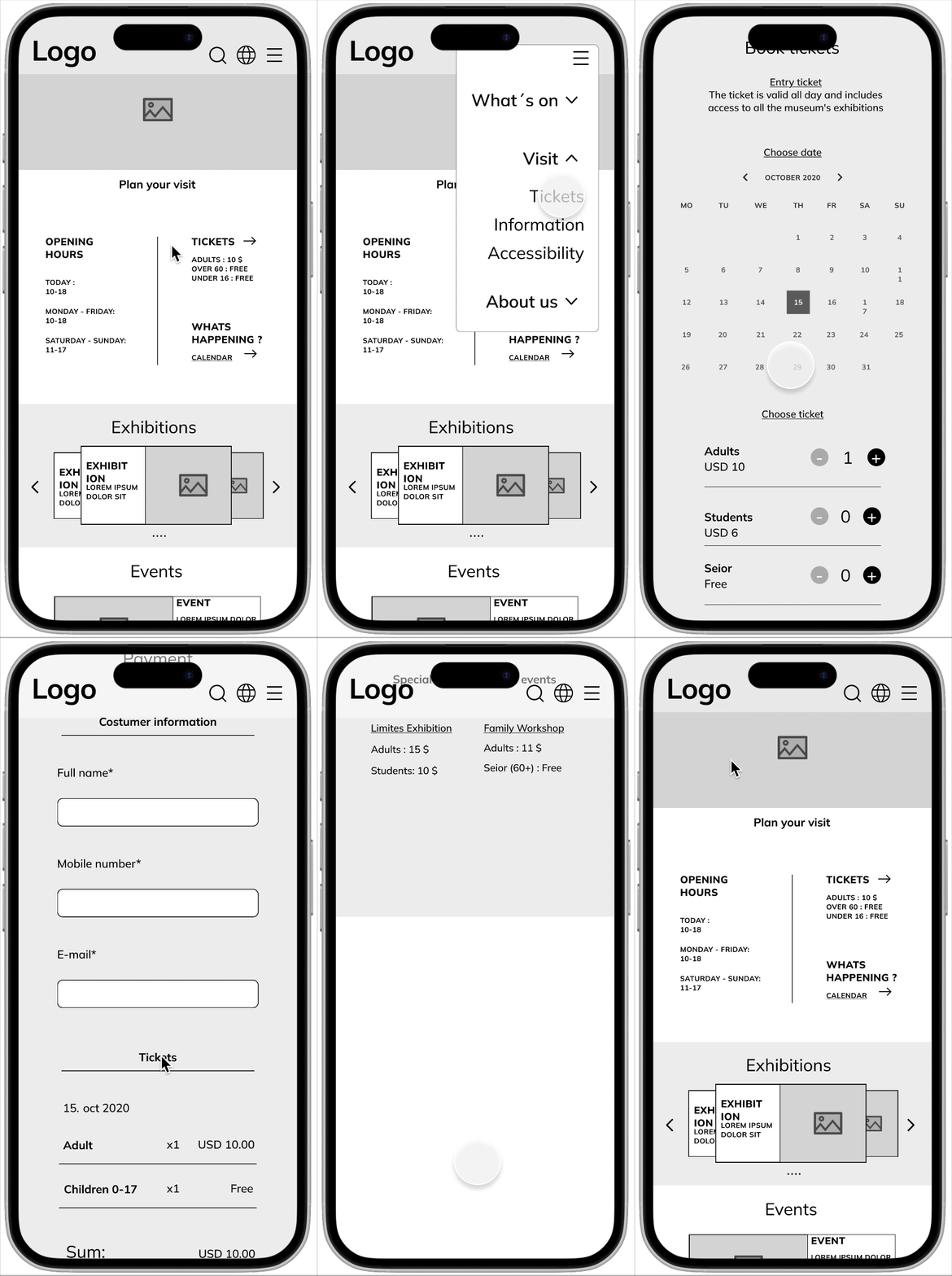
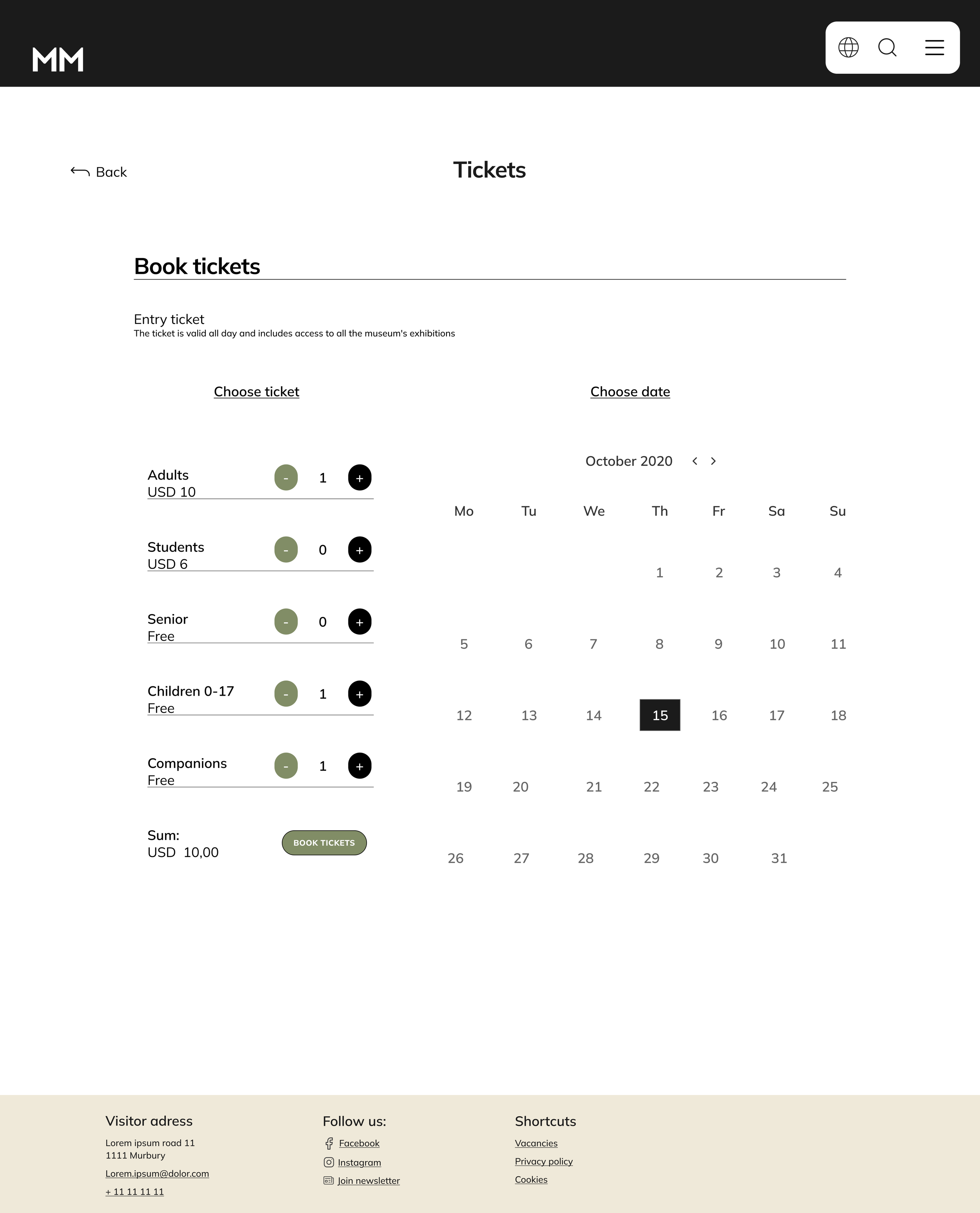
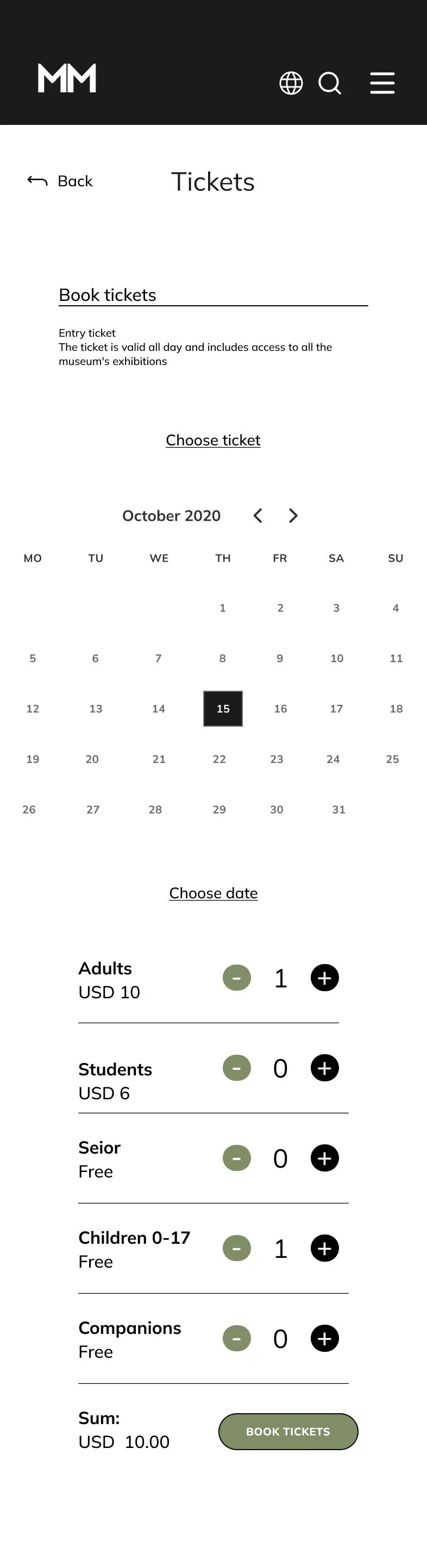
I used a sequential, step-by-step model to create the user flow for booking tickets to an exhibition or an event.
Usability study
I conducted an unmoderated usability study, where I tested my Low-fidelity prototype on family and friends who visit museums and galleries.
Parameters

Participants:
4 participants
Length:
20-30 minutes
Location:
Oslo, remote
Study type:
Usability study
Findings
Homepage
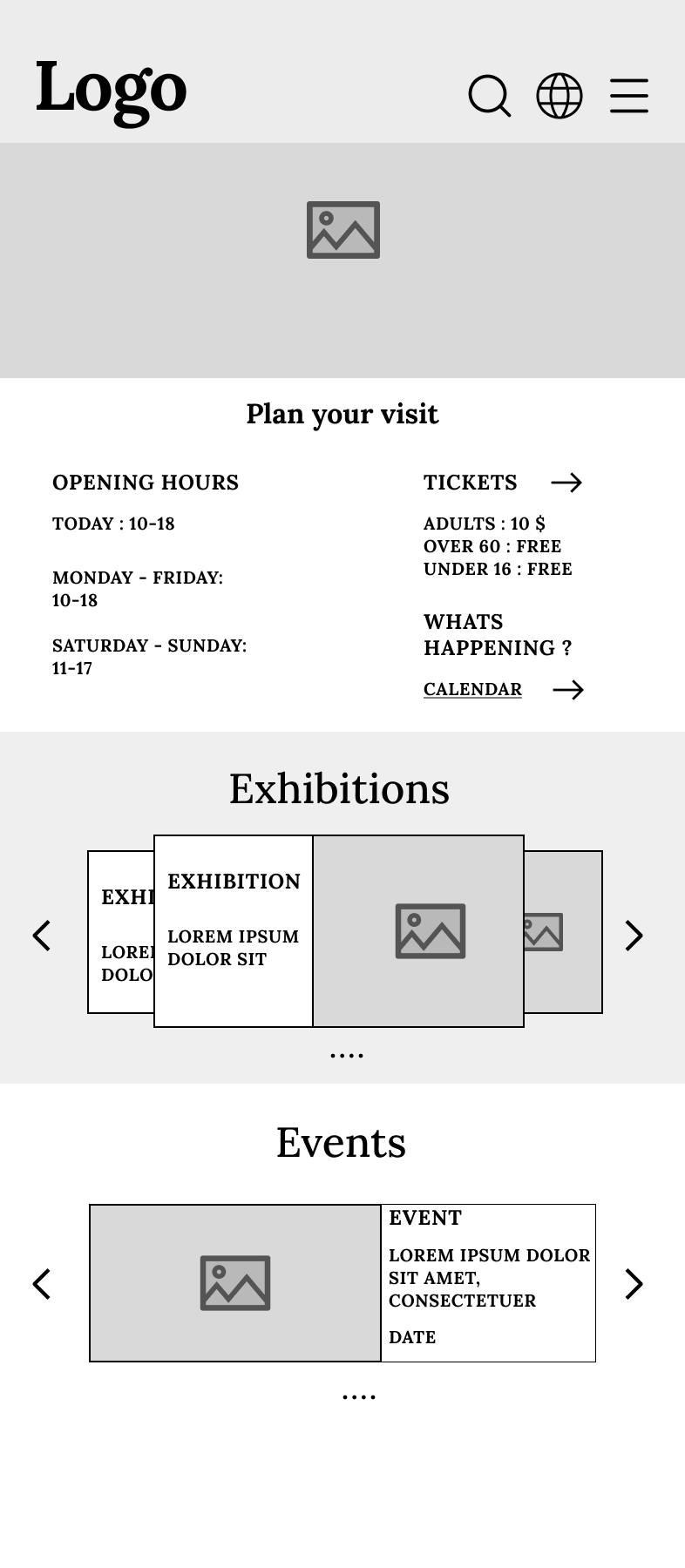
It is hard to separate some of the information on the mobile homepage.
Exhibition overview
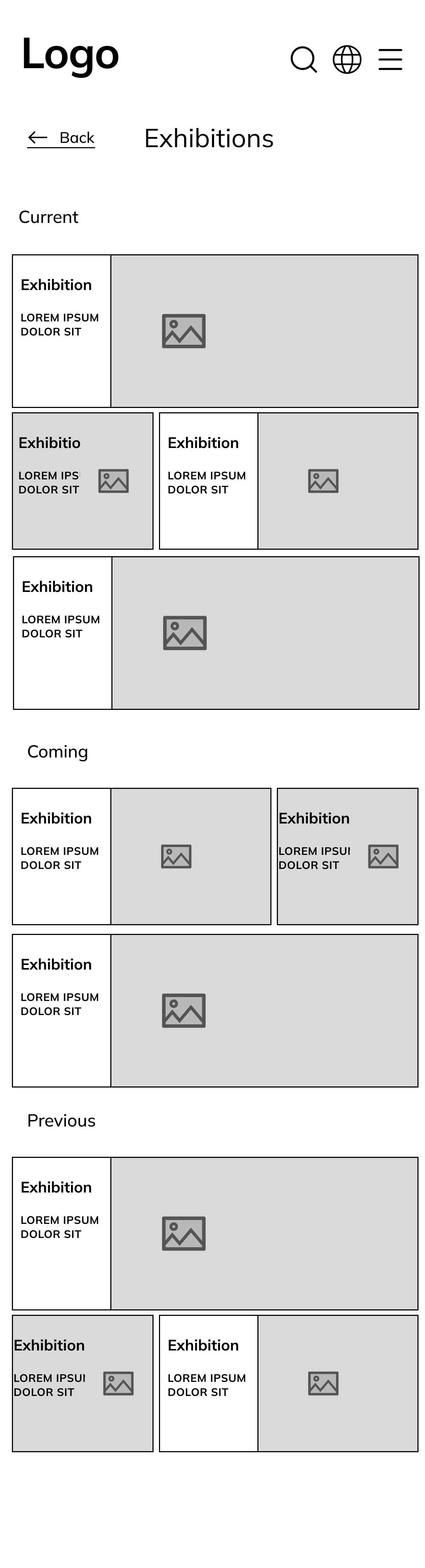
The user can’t get a good overview of the different exhibitions on the exhibition page.
Event tickets
The user should be able to navigate to “book tickets” by selecting an event or exhibition.
Refining the design
Finding 1
“It is hard to separate some of the information on the mobile homepage.”
My goal here is to make it easier for the user to locate the information they need. To do this, I implemented more whitespace and used a border to separate the information.

Before usability study
After usability study

Finding 2
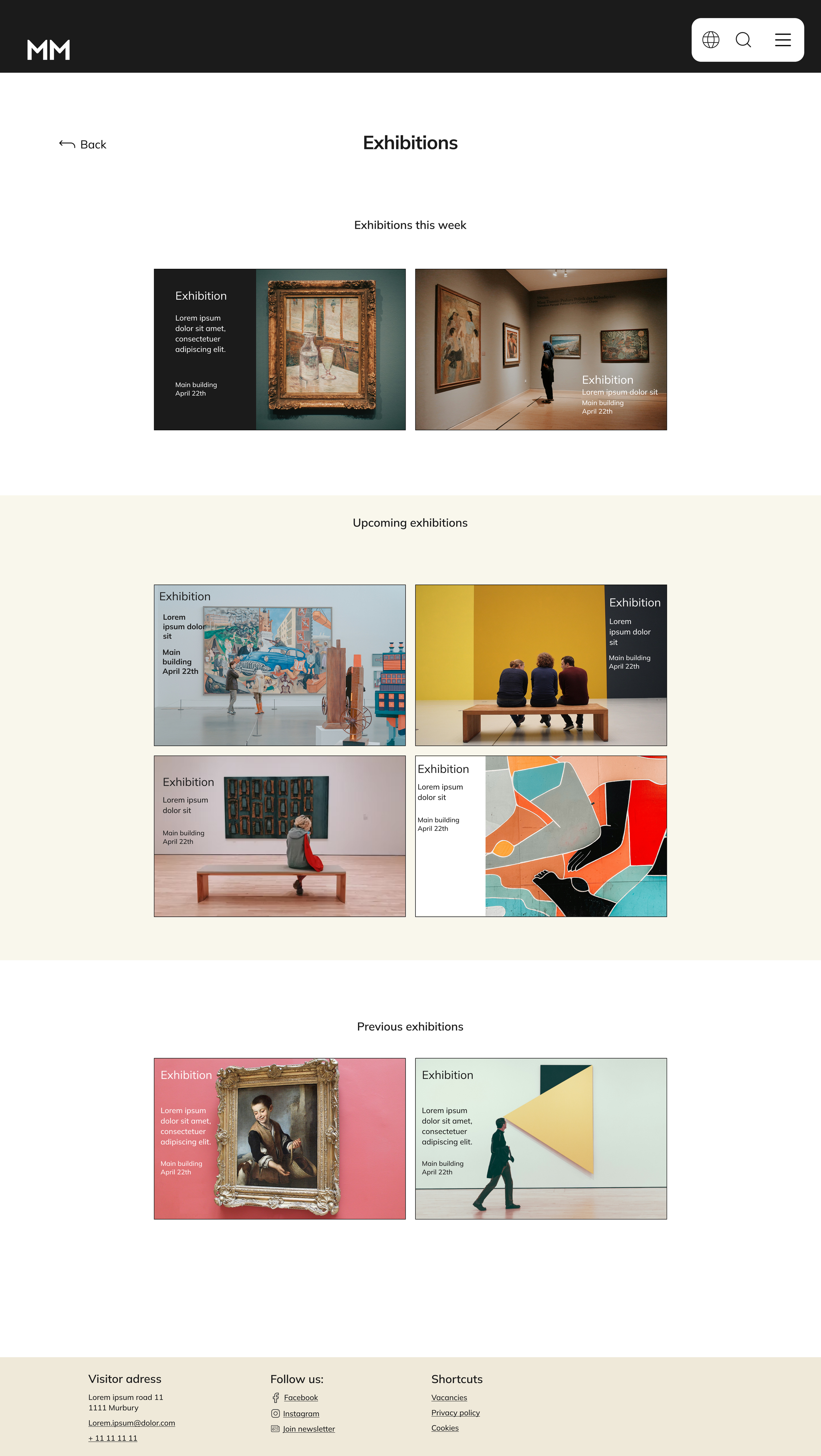
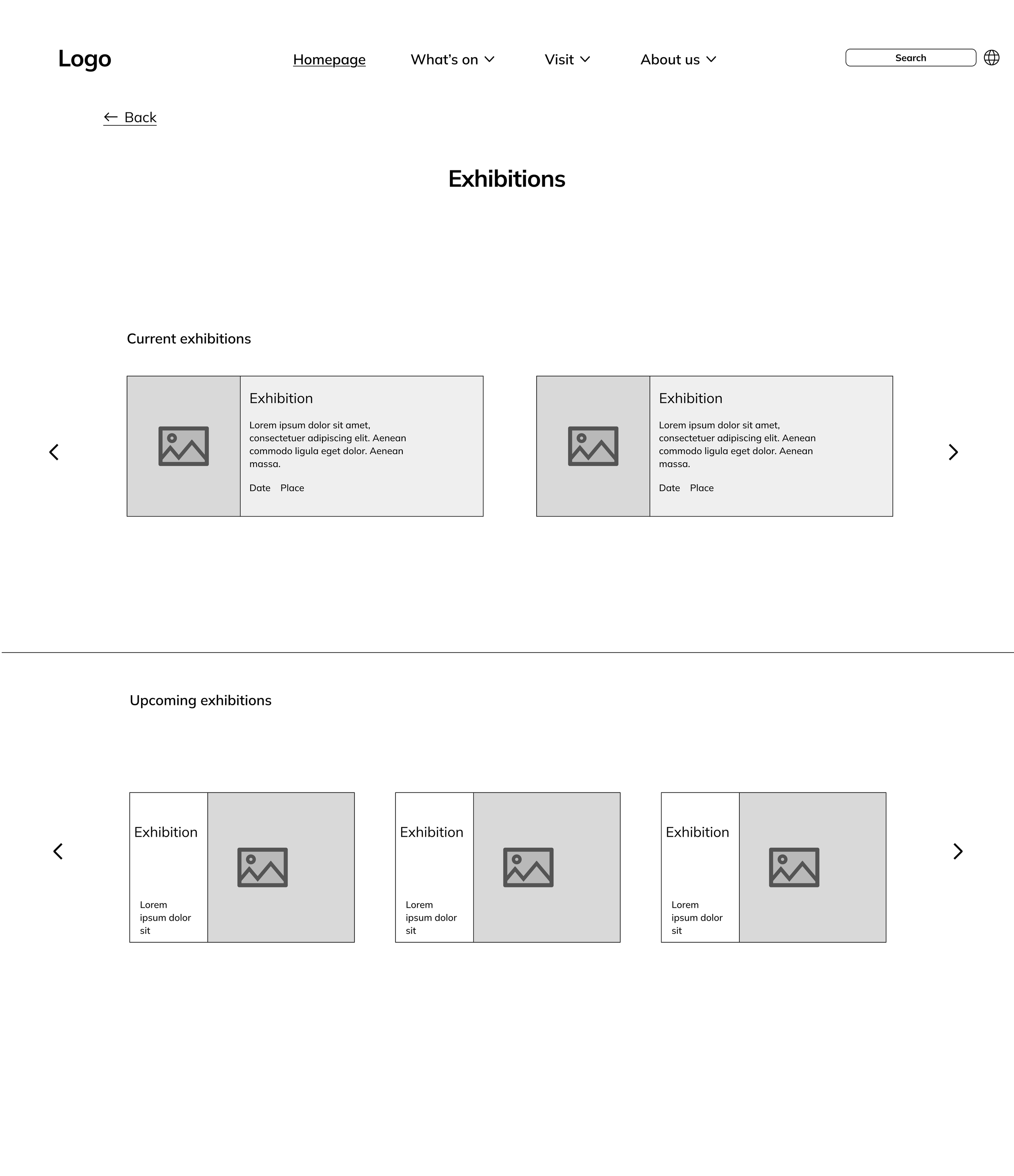
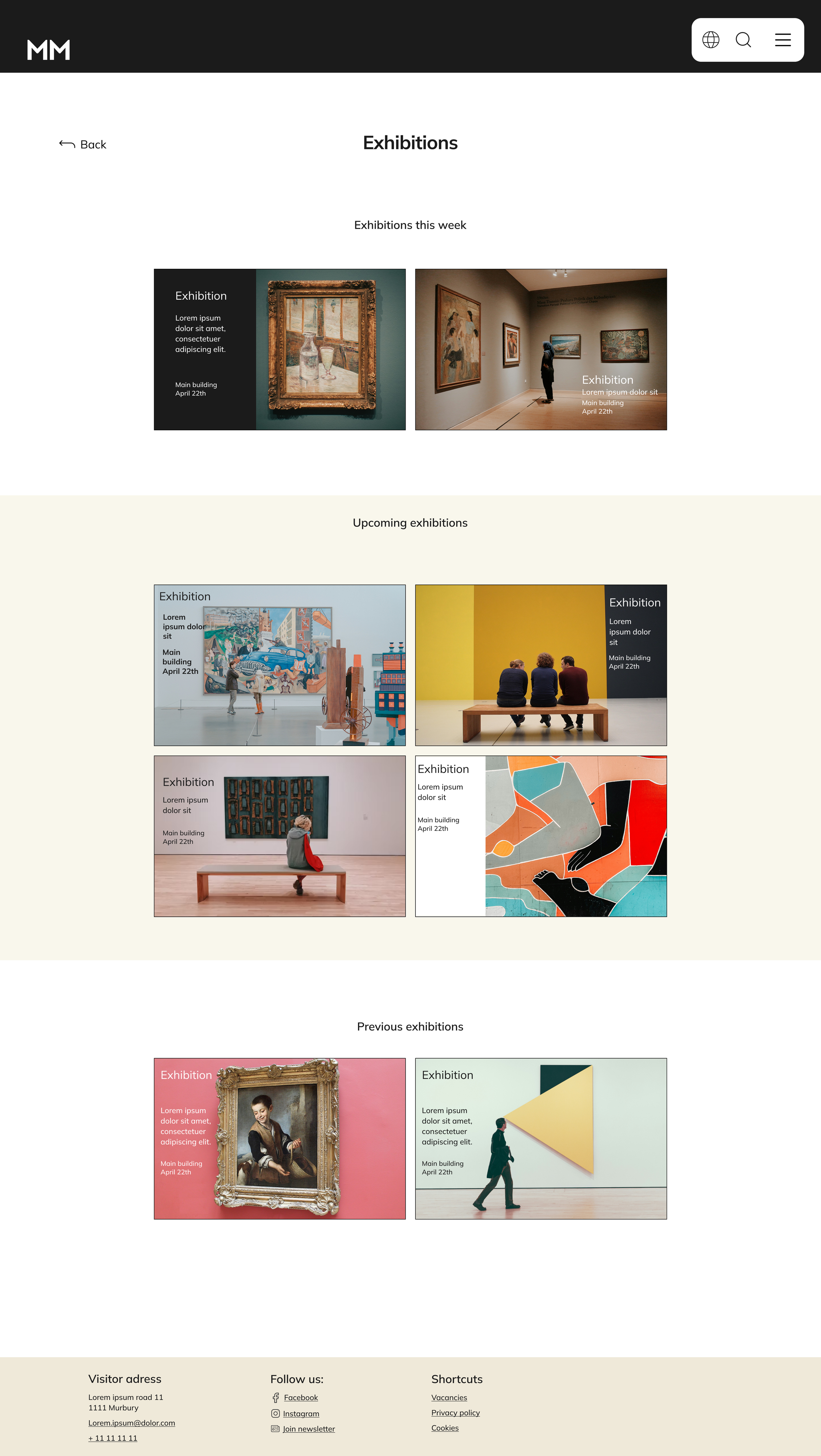
“The user can’t get a good overview of the different exhibitions on the desktop exhibition page.”
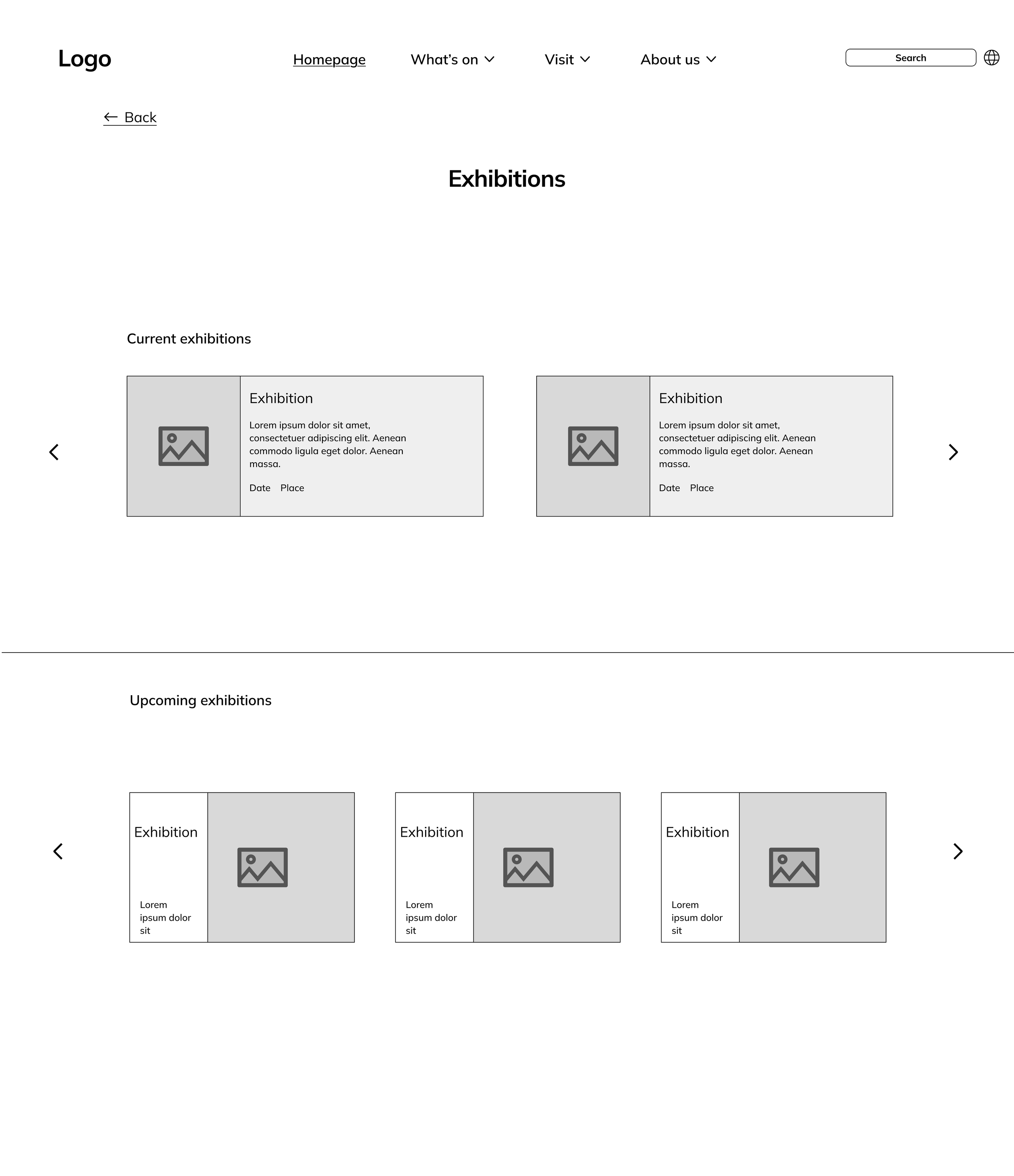
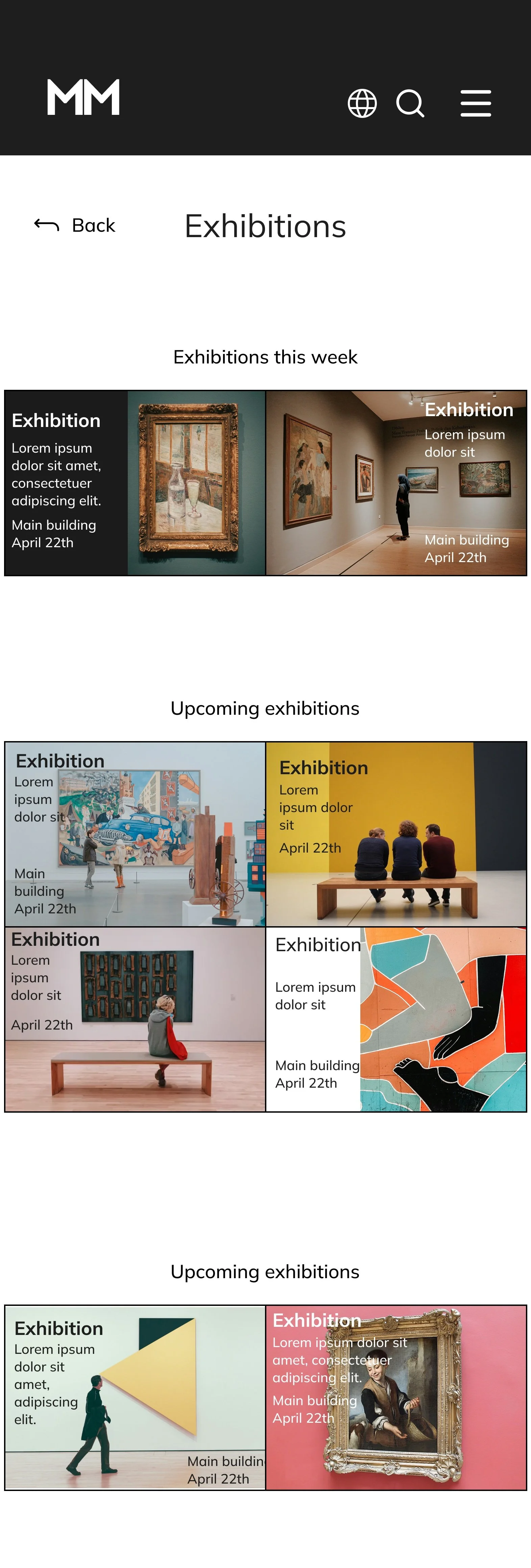
I changed the layout of the exhibition page by removing the carousel and putting all the exhibitions on display. That way, the users who don’t use the carousel don’t miss out on exhibitions.
Before usability study
After usability study
Finding 3
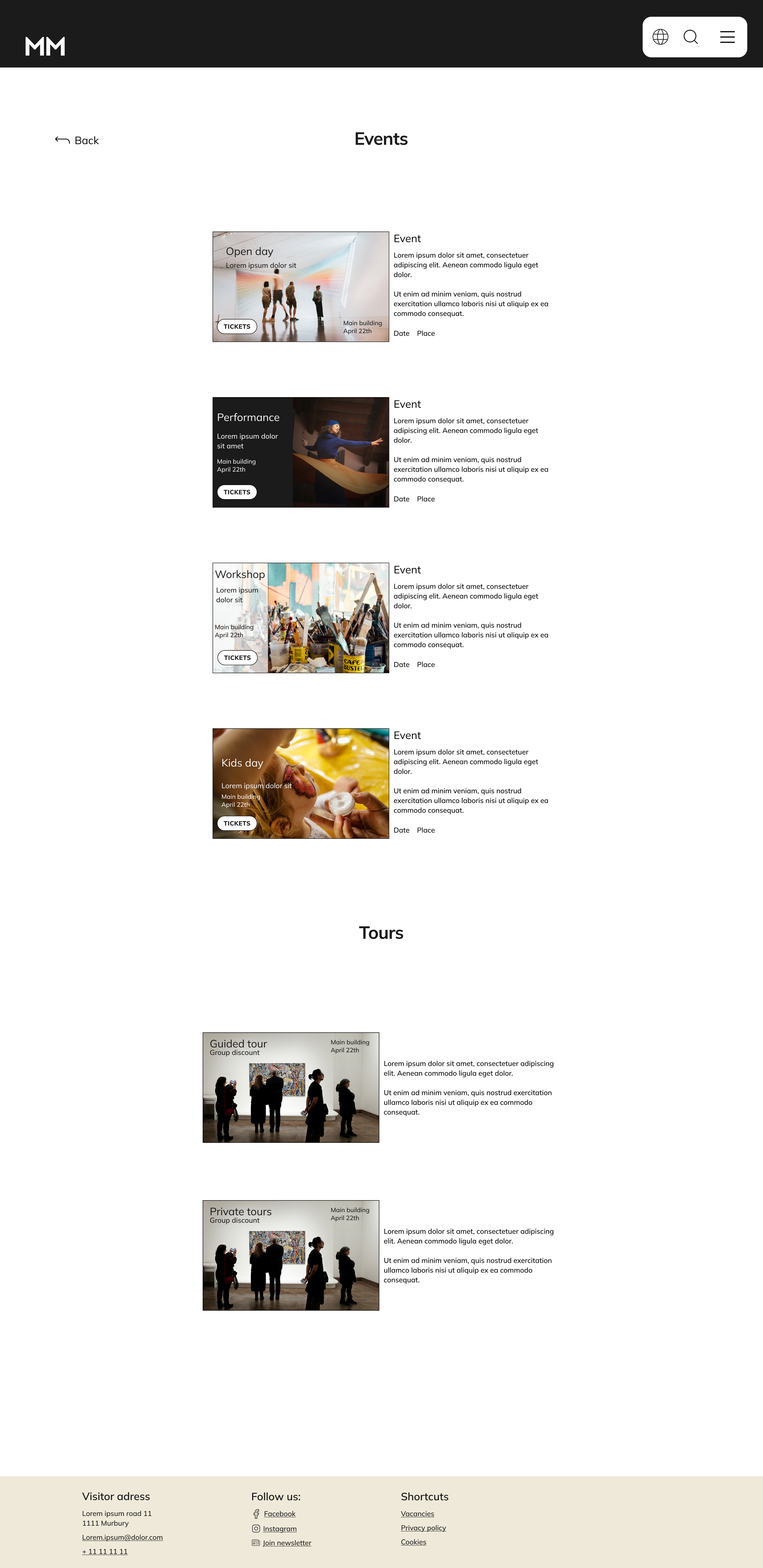
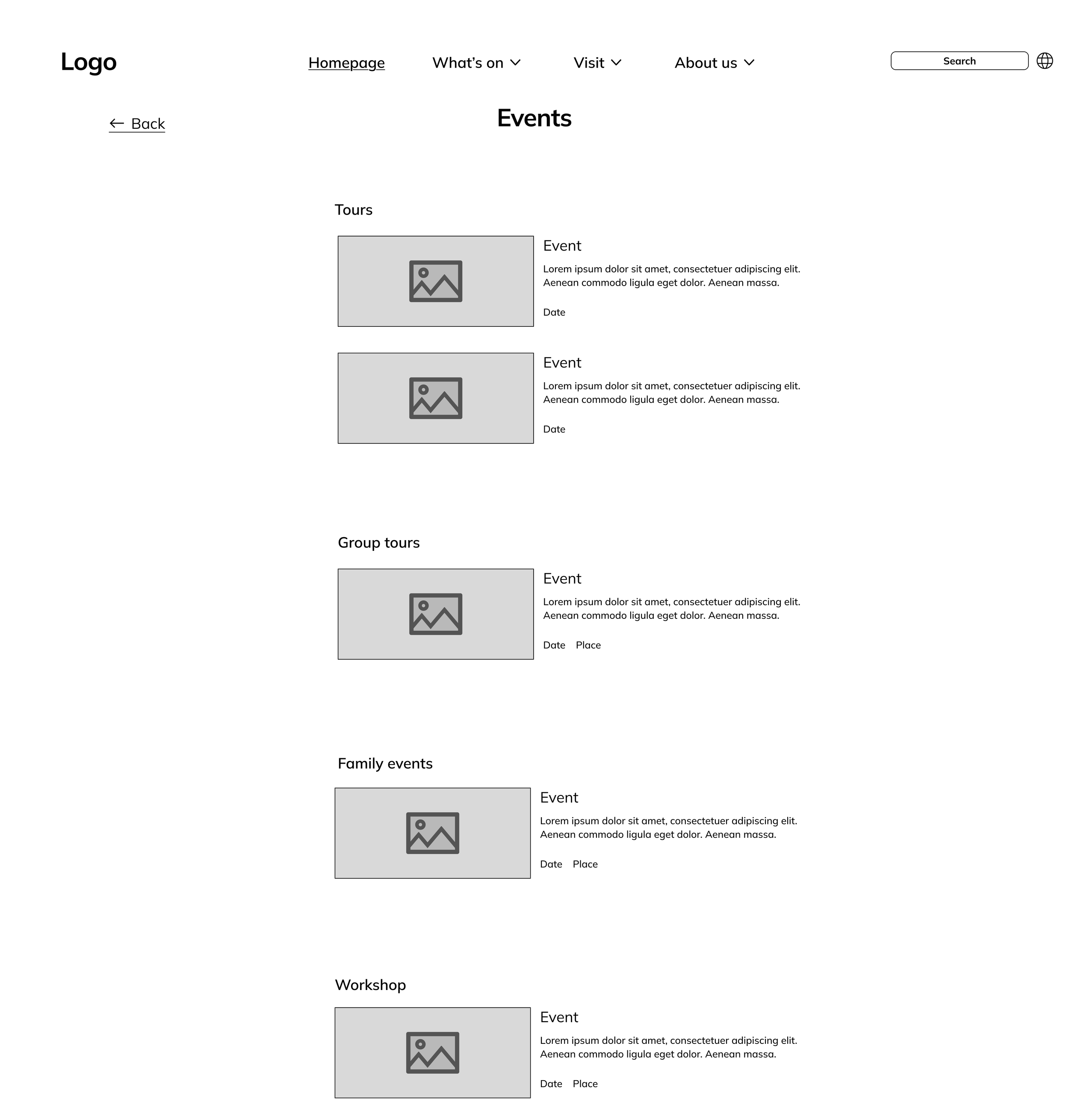
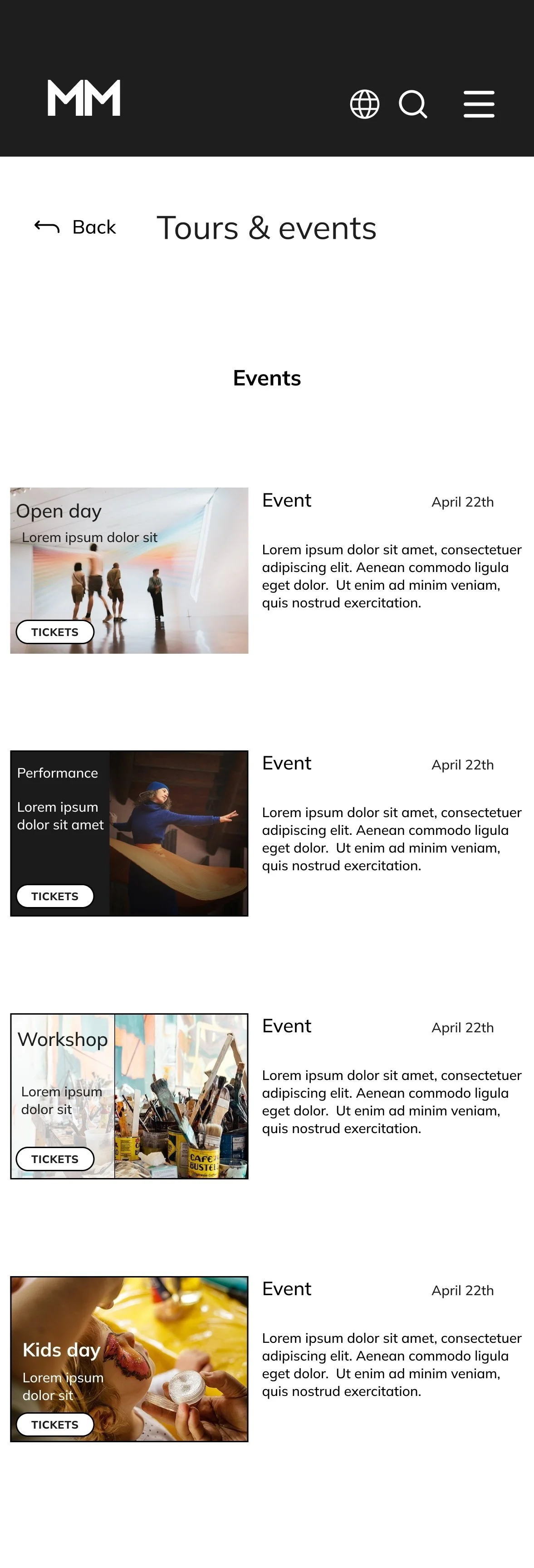
“The user should be able to navigate to ‘book tickets’ by selecting an event or exhibition.”
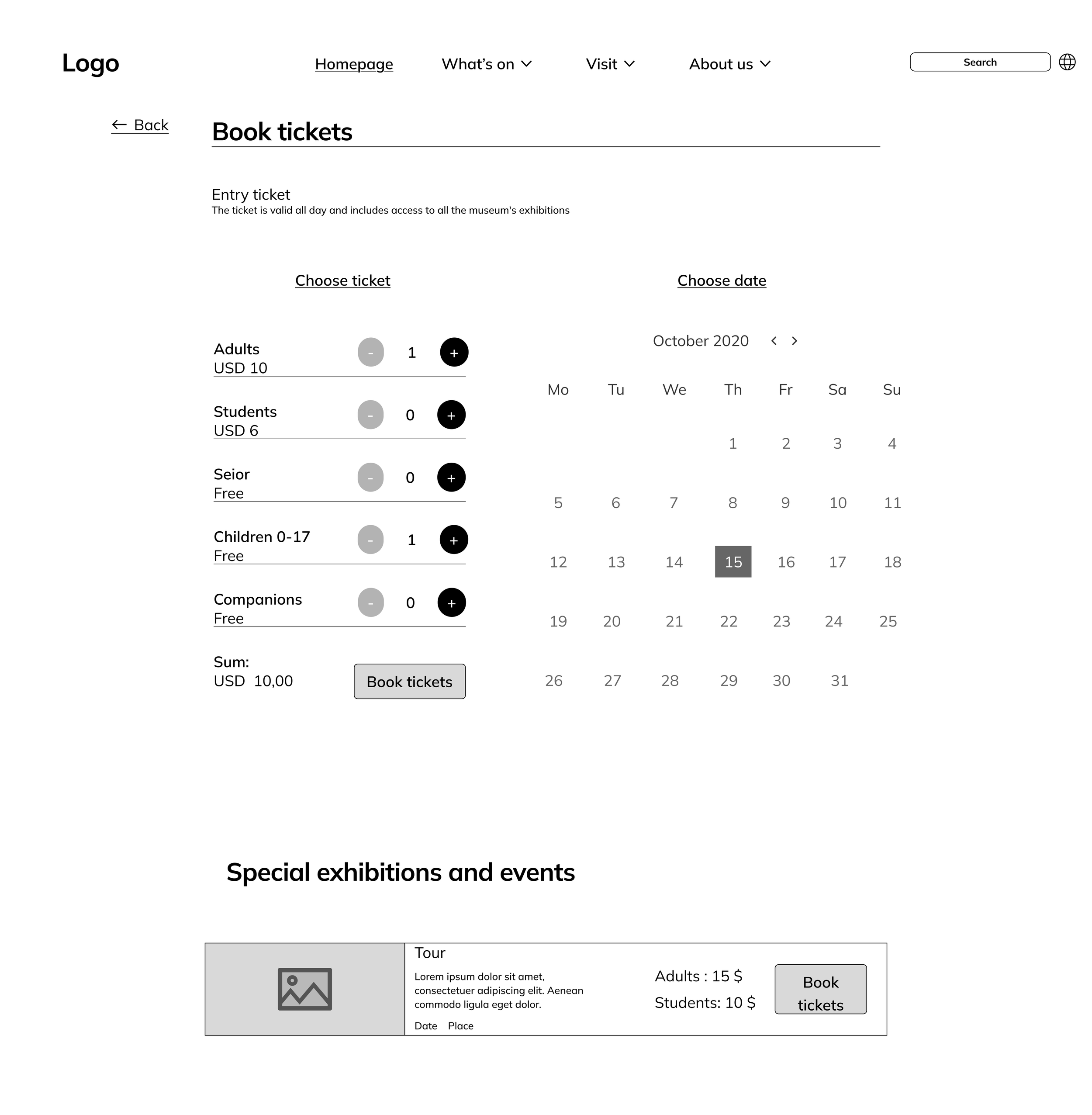
I added a button for booking tickets to each event that directly navigates to the ticket page of the chosen event.
Before usability study
After usability study
Mockups
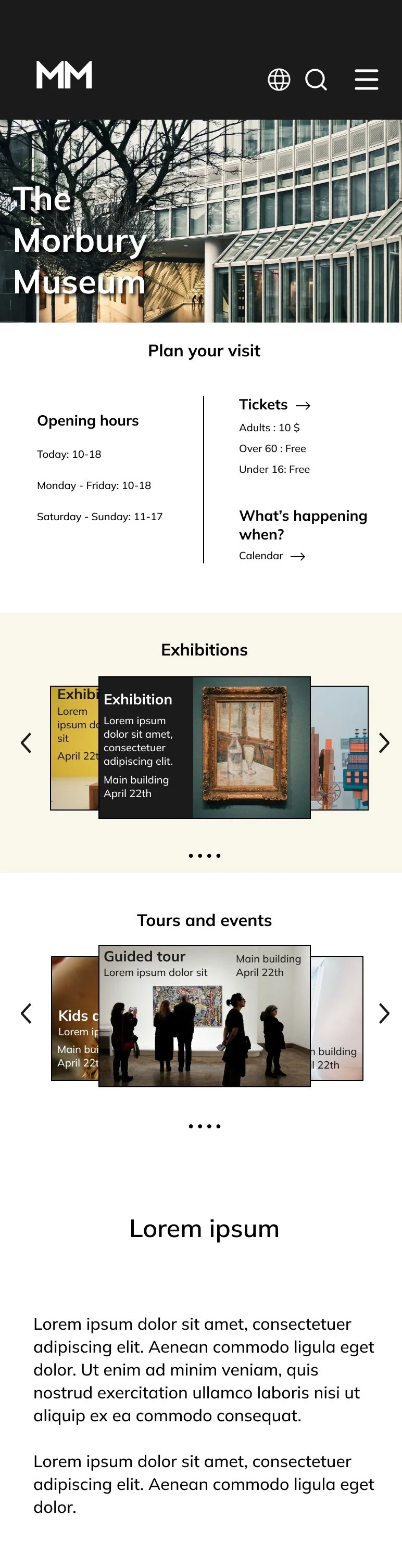
Original screen size
Screen size variations

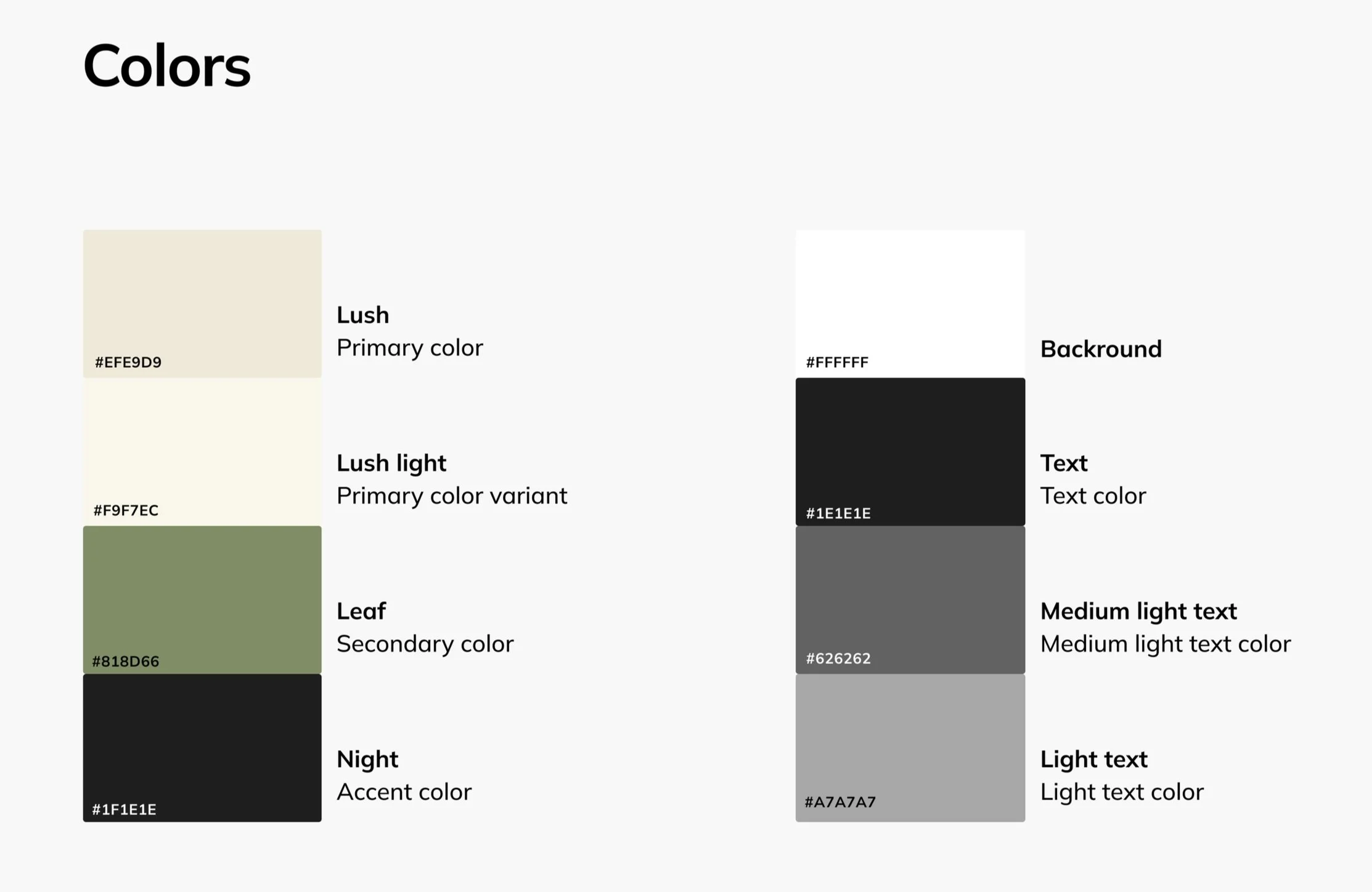
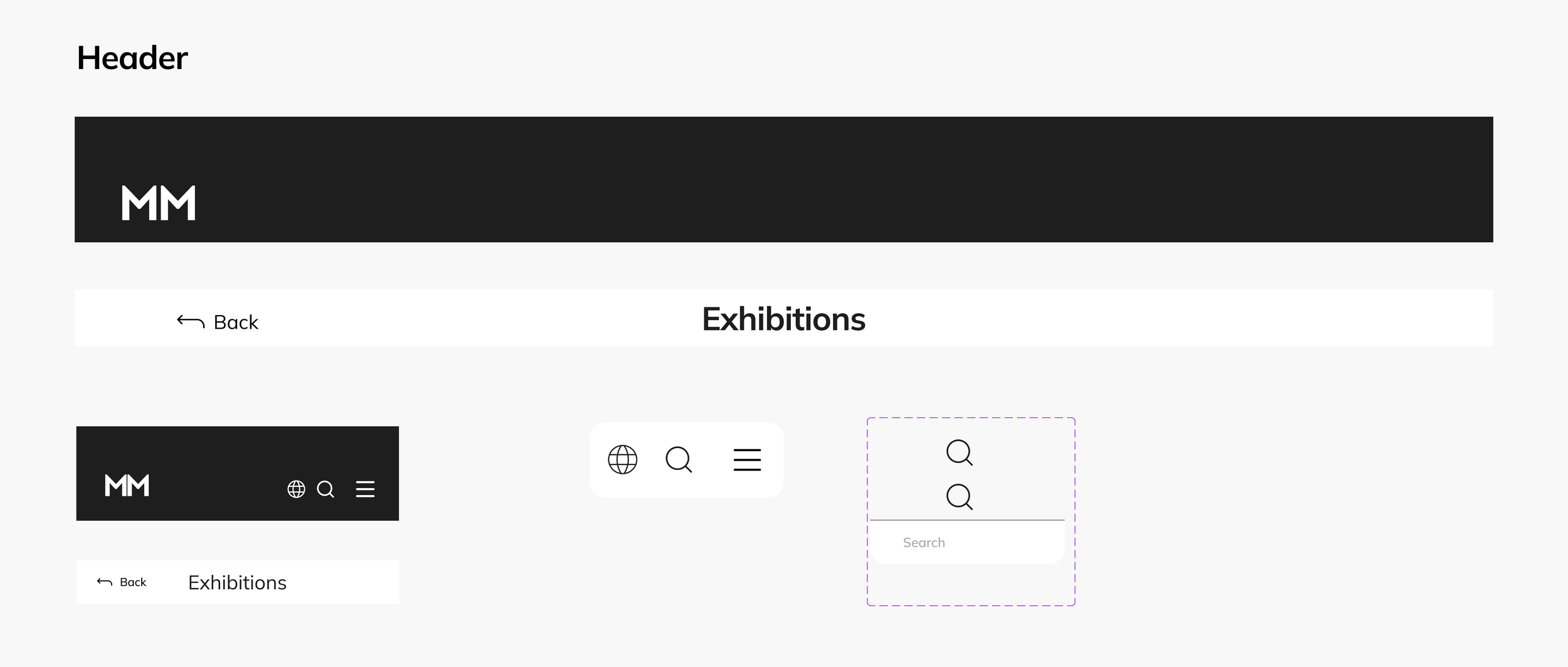
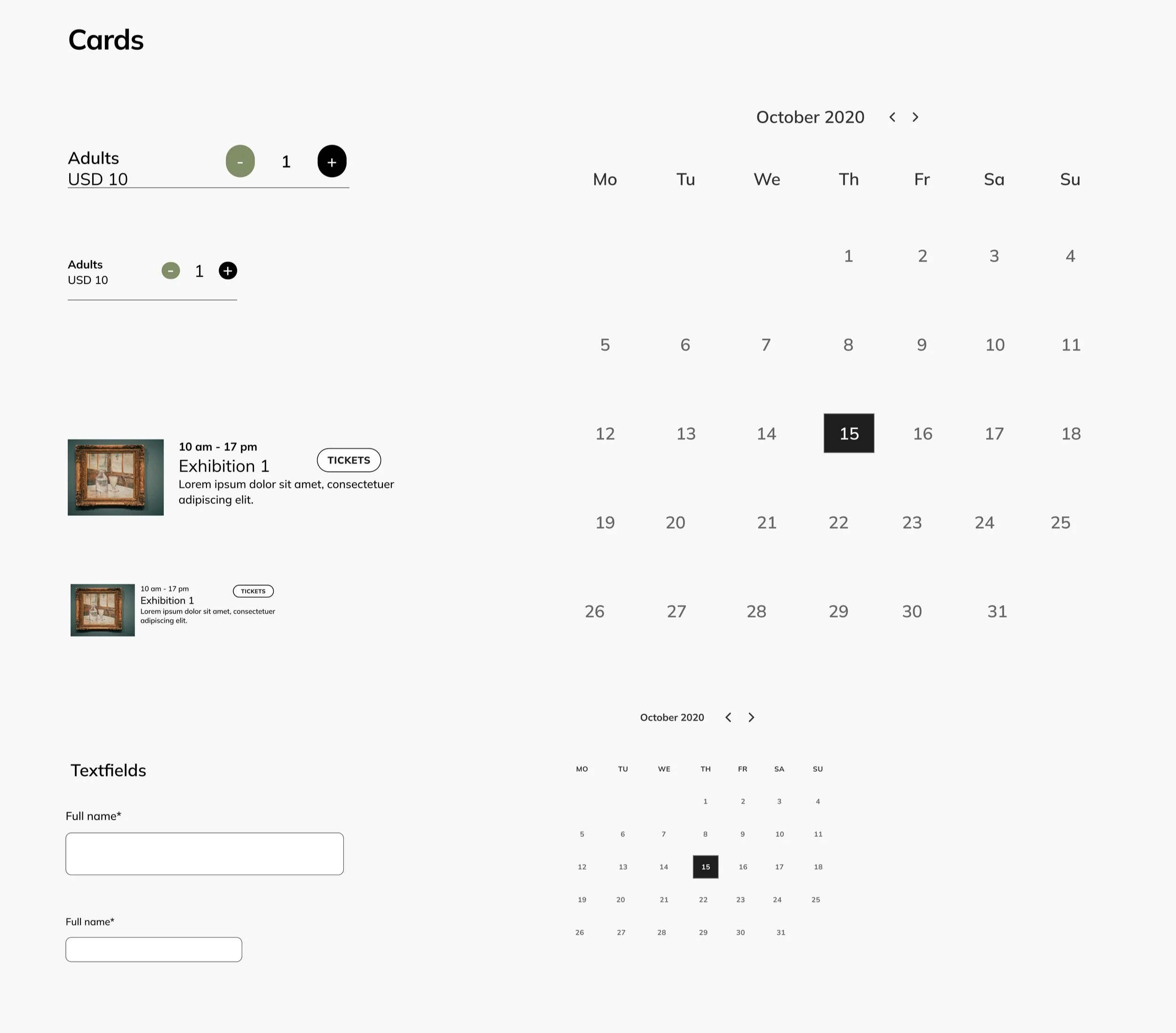
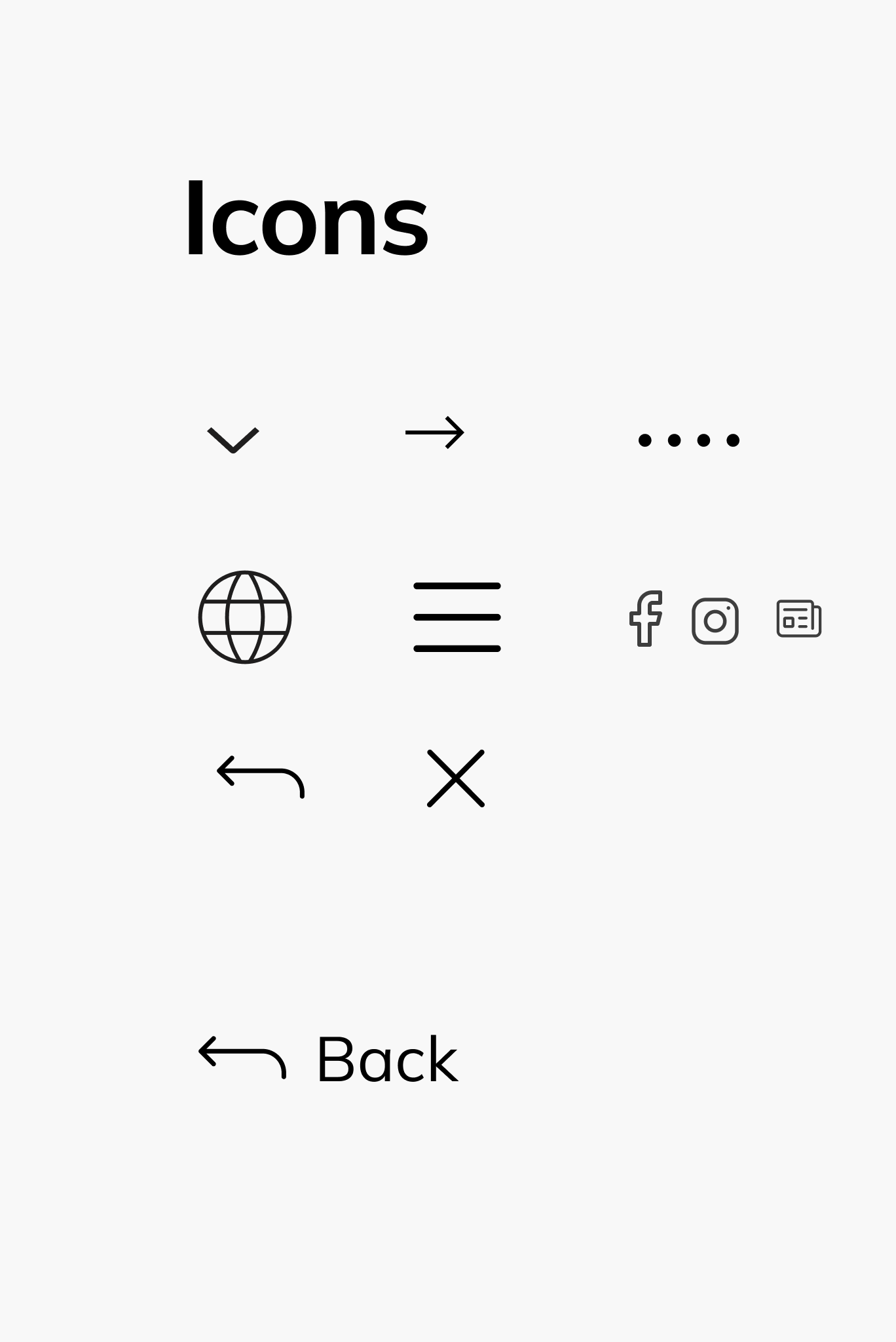
Design system
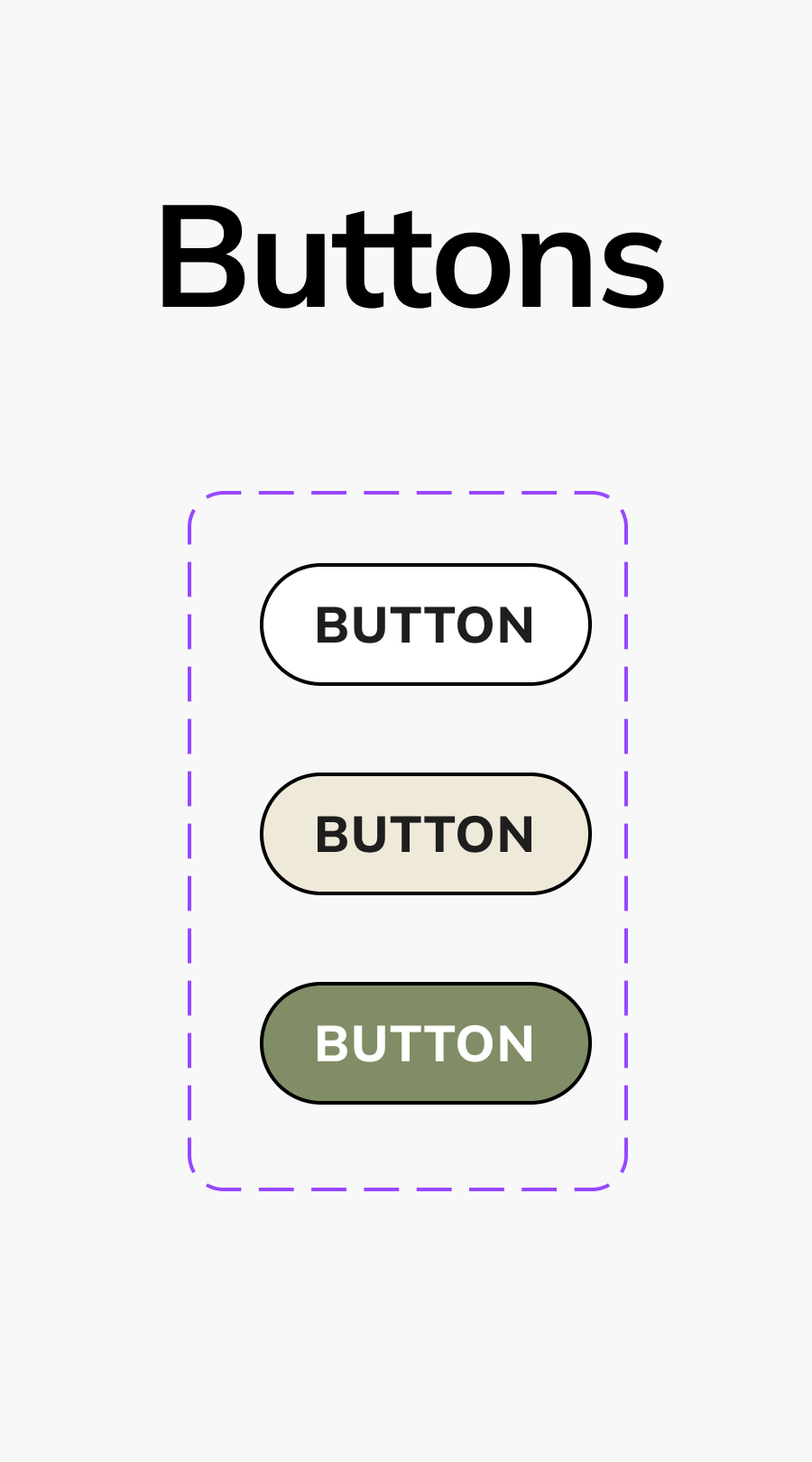
High-fidelity prototype
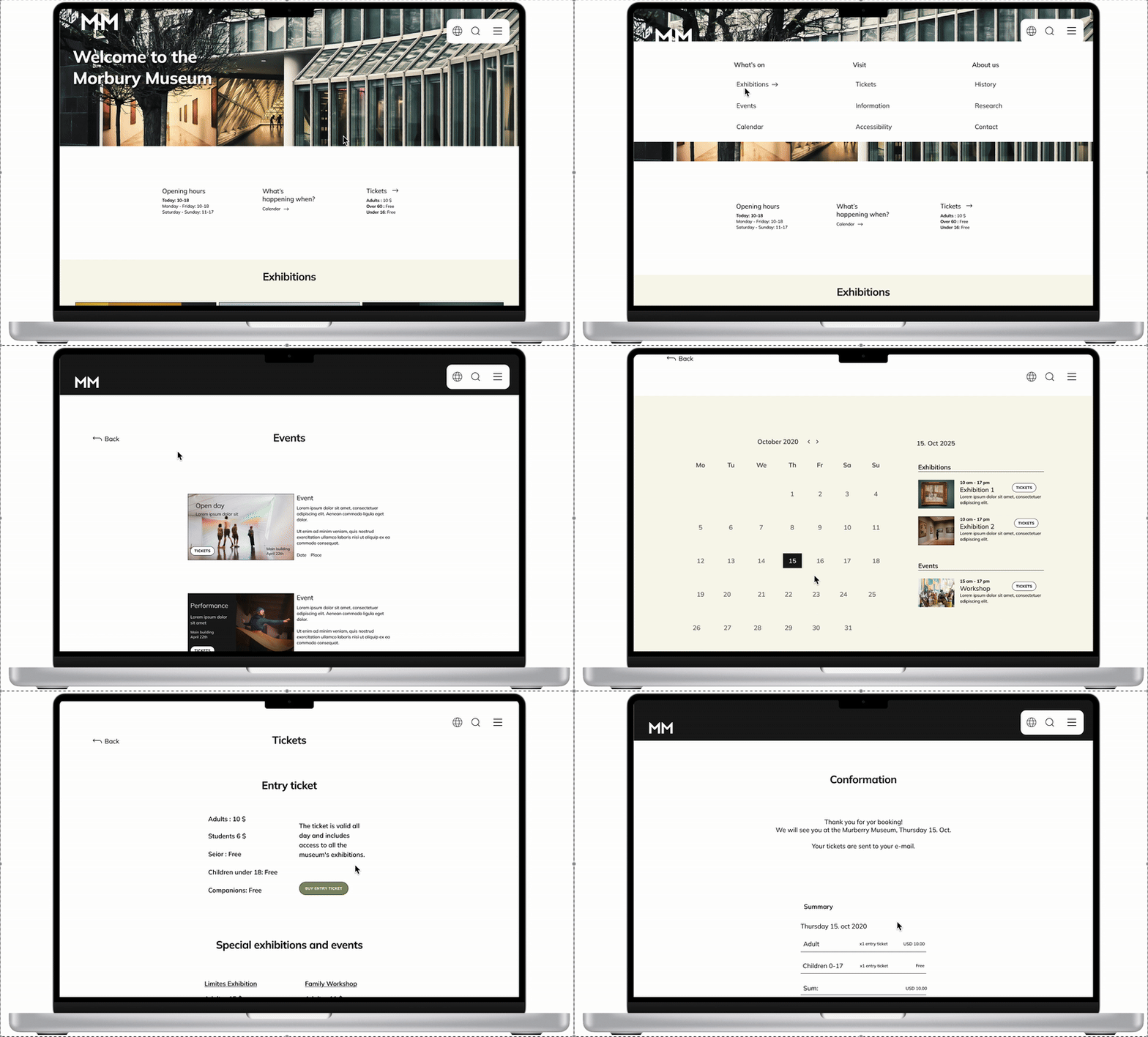

Considerations
On of Ben’s frustrations is navigating between exhibitions without having to climb too many stairs. He needs a way to preview the accessibility of the museum before his visit.
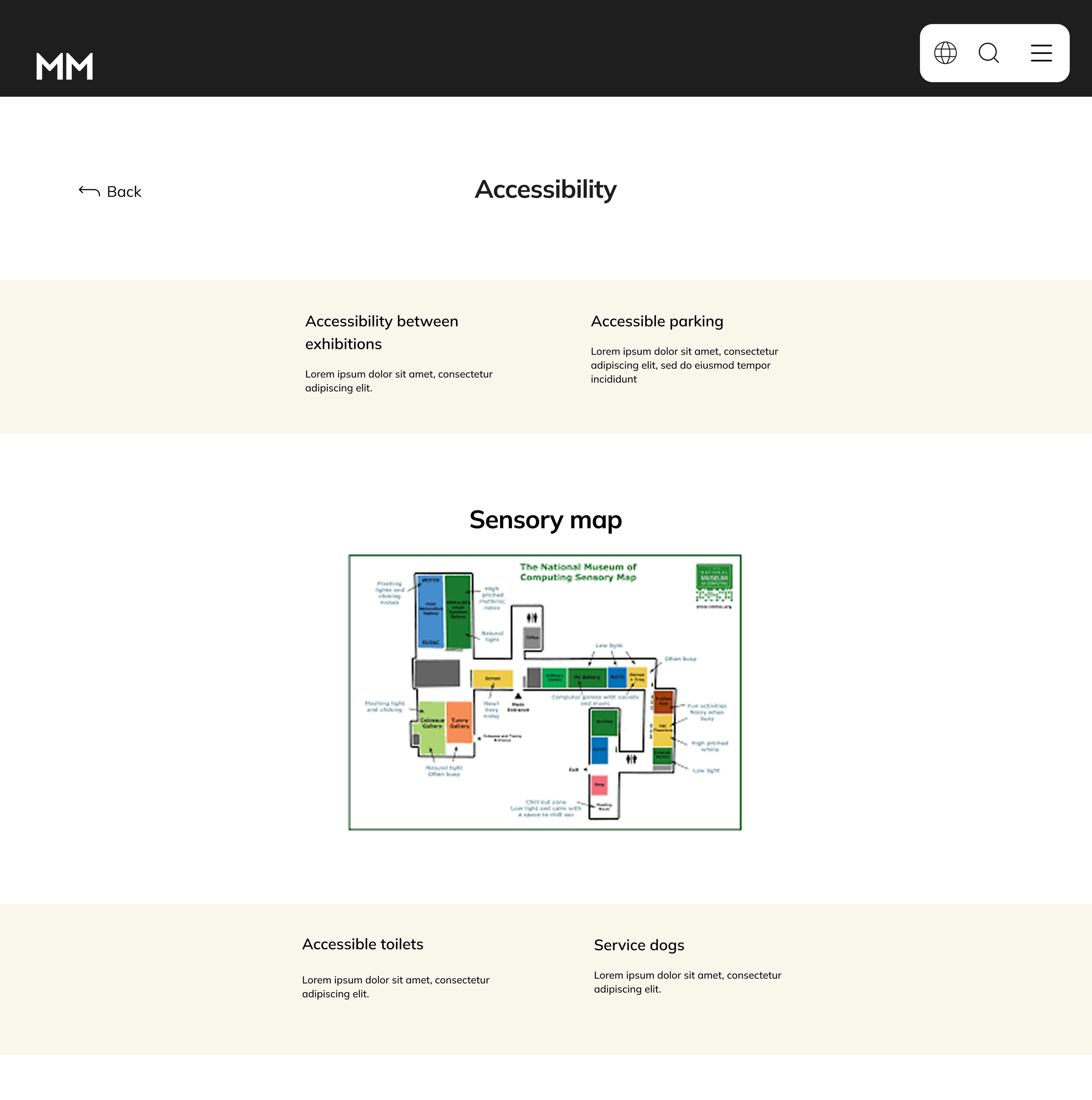

I wanted Ben to have a clear overview of what to expect when attending an event or exhibition. I created a dedicated accessibility page that provides information about access between exhibitions, parking, restrooms, service dogs, and sensory maps. This makes it easier for Ben and other visitors with accessibility needs to plan and enjoy their visit without worrying about unexpected challenges.

To ensure that the accessibility page is easy to locate and use, I incorporated a dedicated button in the main navigation menu.
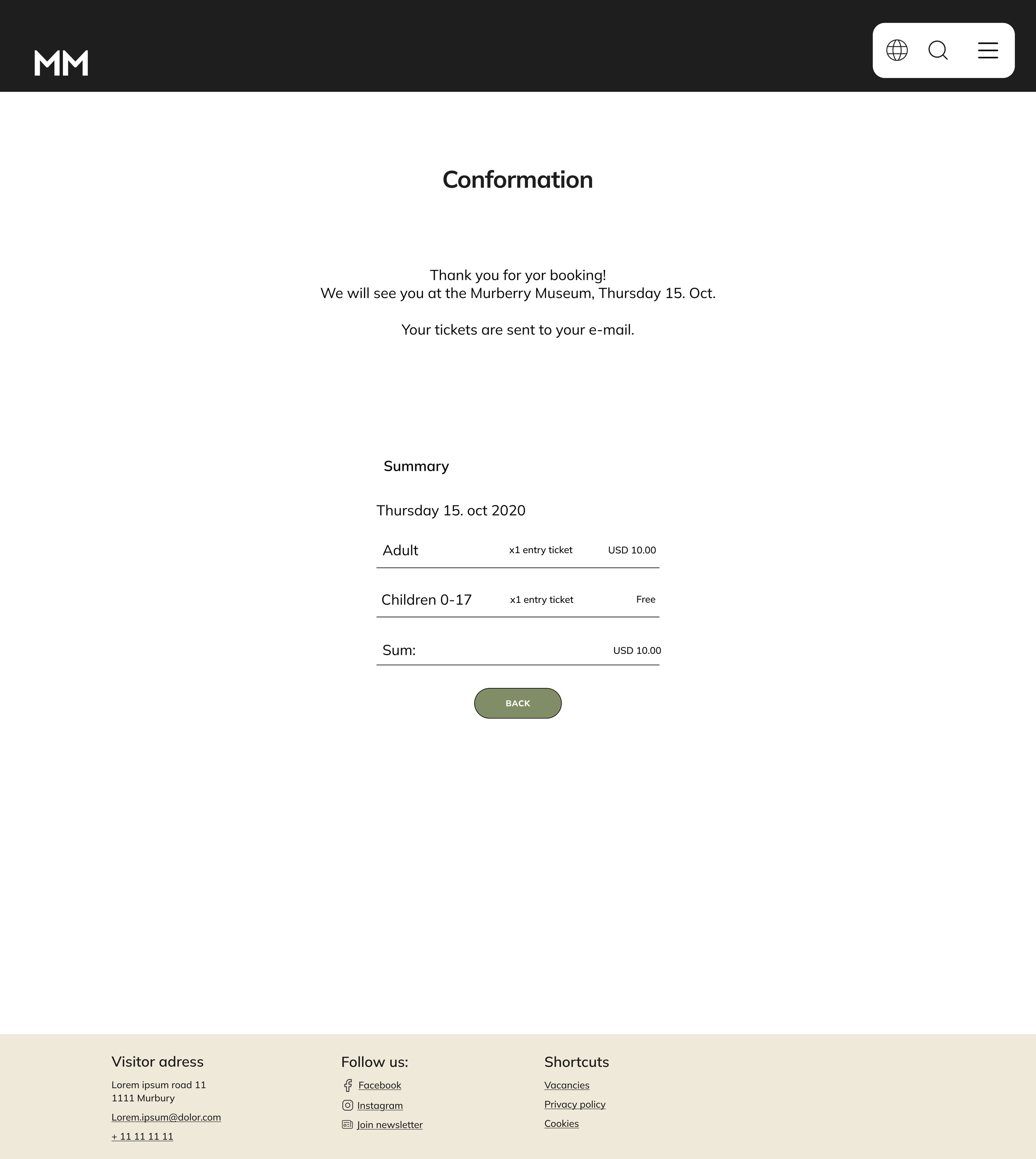
Ben also admits that he doesn’t like technology and appreciates the interaction with real people when booking visits. I designed a clear confirmation page with a friendly, personalized message to create a more welcoming and human-centered experience.
Accessibility considerations
High contrast
I used high contrast between text and background to make it easier for users to read.
Whitespace and borders
I used white space to reduce cognitive overload and to make the content easier to process. I also used borders to create a clear separation between content.

Hierarchy
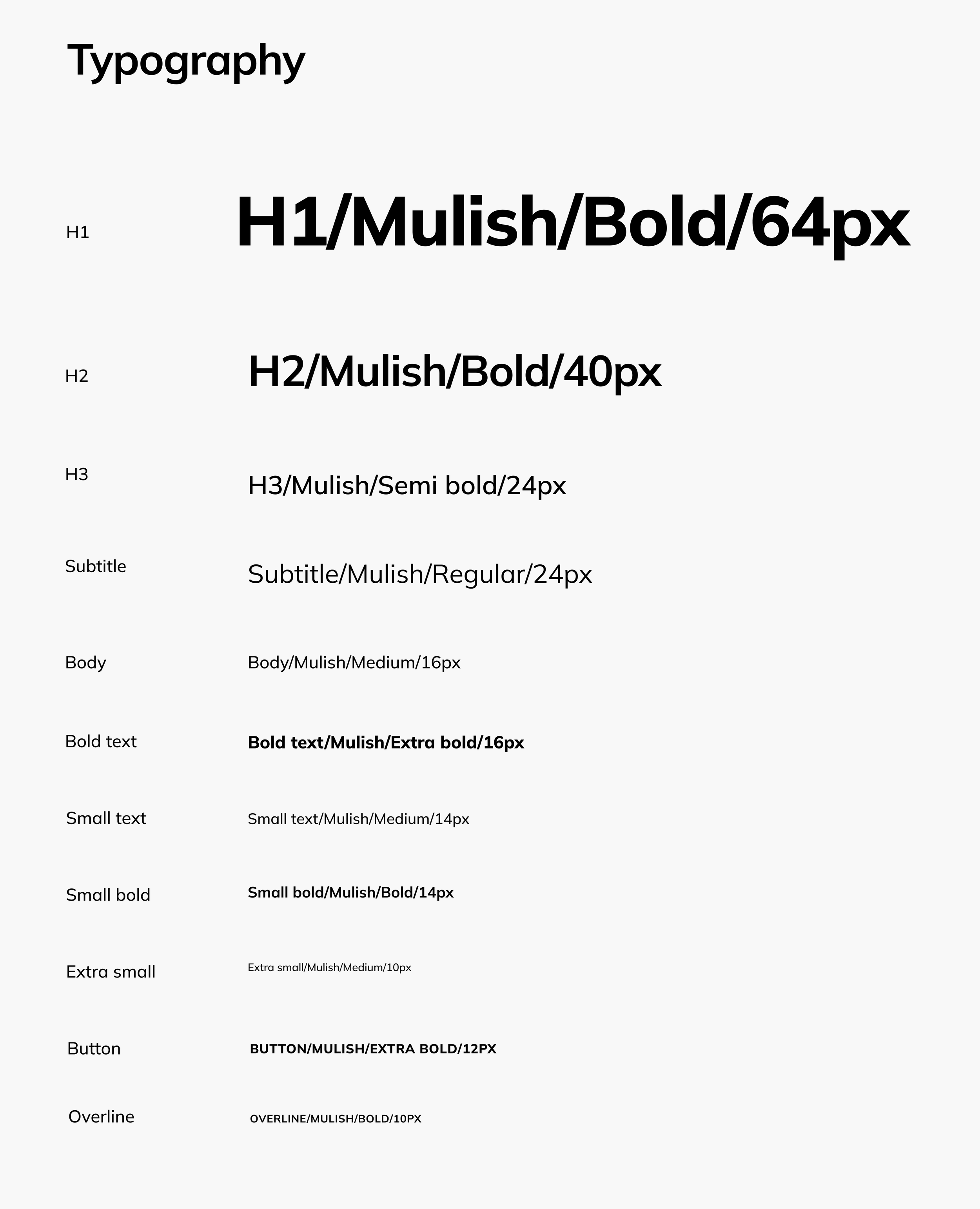
I have specific heading tags (H1, H2, and H3) that allow screen readers to interpret the hierarchy of a page for users.
Takeaways
What I learned:
The most important takeaway for me from this design project is the importance of keeping the user at the center of every design decision. It is easy to make changes based on what “I” think is the best solution, but after my usability studies, I quickly learned that the user’s needs can be very different.
Impact:
The target users shared that the website is intuitive and easy to navigate. The design is clean and simple, making room for images of exhibitions and events.
Next steps
Obtain UX/UI feedback from designers with more experience in the field to improve the overall design and functionality.
When I have documented all feedback that was provided, I will make the necessary design updates in order to improve the website´s overall experience.
Help me grow!
I would love to hear your thoughts and feedback.